The landscape of artificial intelligence has shifted dramatically over the last few years. What once required massive data centers and millions in capital investment is now accessible to small businesses and individual developers through cloud APIs. However, this convenience comes at a steep price. Monthly bills for GPU rental can quickly spiral out of control, eating into profit margins and stifling innovation. For many entrepreneurs, the dream of running large-scale models locally has remained out of reach due to prohibitive hardware costs. This is where the DIY $8,500 Zeus Supercomputer project emerges as a game-changing solution. By leveraging high-performance consumer-grade components, you can build a local powerhouse that rivals enterprise cloud infrastructure without the recurring subscription fees.
This guide explores how constructing your own AI workstation allows you to reclaim control over your data, reduce operational expenses, and accelerate model training speeds. We will walk through the hardware selection, software optimization, cost analysis, and security considerations necessary to make this transition successful. Whether you are a startup founder looking to prototype faster or a developer seeking privacy for sensitive projects, building the Zeus rig offers a path to financial independence in the AI economy.
The Anatomy of a Budget Beast
Building a supercomputer does not require breaking the bank on enterprise-grade server racks. Instead, it requires strategic component selection that prioritizes raw compute power and thermal efficiency. The core of the Zeus build revolves around high-end graphics processing units (GPUs). For an $8,500 budget, you can typically acquire two or three NVIDIA RTX 4090 cards, which offer immense parallel processing power suitable for training medium-sized language models. These cards require a robust motherboard with multiple PCIe slots and sufficient bandwidth to handle the data transfer loads.
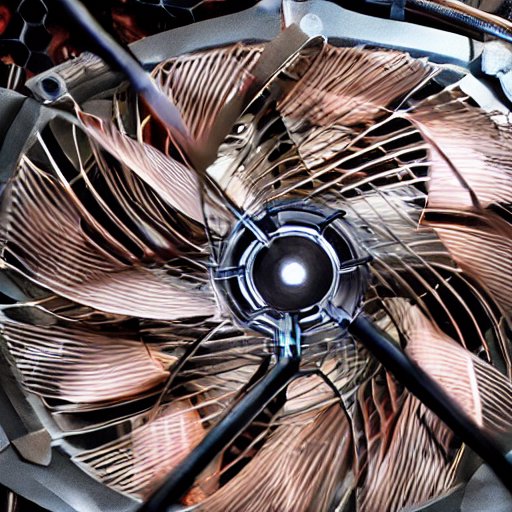
Power supply is another critical consideration. You cannot simply plug high-draw components into a standard unit; you need a 1600-watt or higher ATX 3.0 certified power supply to ensure stability under load. Cooling is equally important, as these systems generate significant heat. A custom liquid cooling loop or a high-quality air cooling setup with industrial-grade fans is essential to maintain performance without thermal throttling. The chassis must be spacious enough to accommodate the length of the GPUs and allow for adequate airflow.

When selecting storage, NVMe SSDs are mandatory. Traditional hard drives cannot keep up with the speed of modern AI frameworks. You should aim for at least two terabytes of high-speed storage to hold datasets and model weights. Memory (RAM) capacity is also vital; 128GB or more ensures that large batches can be processed without swapping to disk, which would slow down training significantly. Every component chosen must work in harmony to create a stable environment where the system runs for weeks on end without crashing.
Optimizing Your Software Environment
Hardware alone is not enough; the software stack determines how effectively you utilize your resources. The Zeus supercomputer operates best on a Linux-based operating system, such as Ubuntu or Debian, which offers superior compatibility with AI frameworks compared to Windows. Once the OS is installed, you must configure the environment for deep learning tasks. This involves installing CUDA drivers, cuDNN libraries, and containerization tools like Docker.
Containerization allows you to isolate different projects and dependencies, ensuring that one experiment does not break another. You can deploy Kubernetes clusters locally to manage multiple containers simultaneously, mimicking a cloud orchestration environment. This setup enables you to scale your workloads dynamically based on demand. For example, if you are running inference for a customer-facing application, you can spin up specific containers only when needed and shut them down to save power.
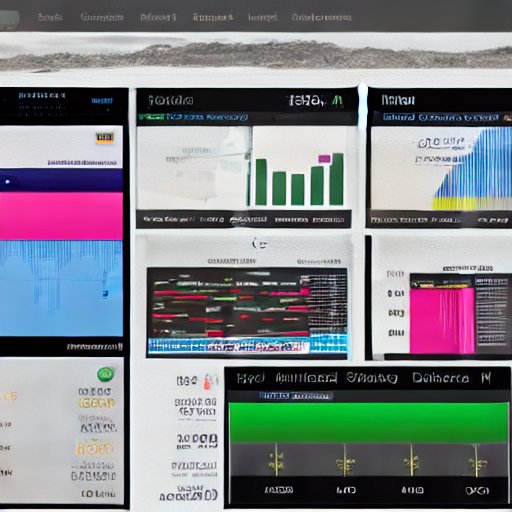
Frameworks like PyTorch and TensorFlow must be installed with specific versions that match your hardware drivers. You should also configure environment variables to optimize memory usage and enable mixed-precision training, which speeds up computation without sacrificing accuracy. Setting up a version control system like Git is essential for tracking changes in your codebase over time. Additionally, integrating monitoring tools like Prometheus and Grafana allows you to visualize resource utilization in real-time. This data helps you identify bottlenecks and optimize performance before they impact production workloads.
Crushing Cloud Costs with Local Inference
The primary motivation for building the Zeus supercomputer is financial efficiency. Cloud providers charge per hour or per second of GPU usage, which adds up quickly. A single high-end GPU rental can cost between $10 and $30 per hour depending on the provider and region. Over a month, this could easily exceed $2,000 to $6,000 in expenses. In contrast, the initial investment for the DIY build is around $8,500. Once paid off, the marginal cost of running models drops significantly because you only pay for electricity and cooling.
The break-even point typically occurs within six to twelve months of heavy usage. After this period, every hour of training or inference saves money compared to renting cloud resources. This is particularly beneficial for businesses that run 24/7 services, such as chatbots or recommendation engines. Local inference also reduces latency because the data does not need to travel over the internet to a remote server. Users experience faster response times, which improves customer satisfaction and retention rates.
Furthermore, local deployment eliminates egress fees and data transfer costs associated with cloud providers. You retain full ownership of your compute resources, meaning you are not subject to vendor lock-in or sudden price hikes. This stability allows for long-term planning and budgeting without the fear of unexpected charges. For startups, this capital preservation is crucial for reinvestment into product development and marketing efforts.
Security and Data Sovereignty
One of the most compelling reasons to build a local AI supercomputer is data security. When using cloud services, your sensitive data resides on servers owned by third parties. While major providers have robust security measures, there is always a risk of breaches or unauthorized access. By keeping your models and datasets on-premise, you maintain full control over who accesses your information. This is critical for industries like healthcare, finance, and legal services where compliance with regulations such as HIPAA or GDPR is mandatory.

Implementing local security protocols involves setting up firewalls, intrusion detection systems, and regular backup routines. You can encrypt your data at rest and in transit to prevent unauthorized decryption even if physical access is gained. Network segmentation ensures that the AI workstation is isolated from other parts of your network, reducing the attack surface. Regular updates to firmware and software patches protect against known vulnerabilities. This level of control provides peace of mind that simply cannot be achieved with public cloud subscriptions.
Maintenance and Cooling Solutions
Keeping a high-performance machine running smoothly requires proactive maintenance. Dust accumulation can block airflow and cause overheating, leading to system instability. You should schedule regular cleaning sessions to remove dust from fans and heatsinks. Thermal paste on the CPU and GPU should be reapplied every few years to maintain optimal heat transfer efficiency. Monitoring software alerts you when temperatures rise above safe thresholds, allowing you to intervene before hardware damage occurs.
Noise levels are also a consideration for home or office environments. High-performance fans can be loud, so acoustic dampening materials inside the case help reduce sound pollution. If noise is a concern, liquid cooling systems operate more quietly than air cooling because they do not require high-RPM fans to dissipate heat. Proper cable management ensures that airflow is not obstructed by tangled wires. These small details contribute to the longevity of the hardware and ensure consistent performance over time.
Conclusion
The decision to build a DIY $8,500 Zeus Supercomputer represents a strategic shift in how businesses approach artificial intelligence infrastructure. It moves away from the pay-as-you-go model that favors large corporations with deep pockets toward a sustainable approach for smaller entities. By investing in local hardware, you gain independence from cloud providers, reduce operational costs, and ensure the security of your proprietary data. The initial investment pays for itself through savings on monthly bills and improved performance metrics.
As AI technology continues to evolve, having a robust local foundation allows you to experiment with new models and techniques without waiting for cloud resource availability. The flexibility to customize your hardware and software stack ensures that your system grows alongside your business needs. Whether you are training custom vision models or deploying large language models for customer support, the Zeus supercomputer provides the power required to succeed in a competitive market. Building this machine is not just about saving money; it is about taking control of your technological destiny and building a future-proof infrastructure that empowers innovation without compromise.