Finding the appropriate data recovery software can be quite a task, and while EaseUS Data Recovery Wizard is quite popular, it is not for everyone. Therefore, if you have come looking for a different recommendation of EaseUS Data Recovery Wizard, you are in just the right place. We have mentioned in this article a new competitor to EaseUS Data Recovery Wizard that offers similar features, price and advantages. Will it be a worth competitor to EaseUS Data Recovery Wizard? Is it easy to use for a beginner? Is it safe to use? Continue reading to find out.
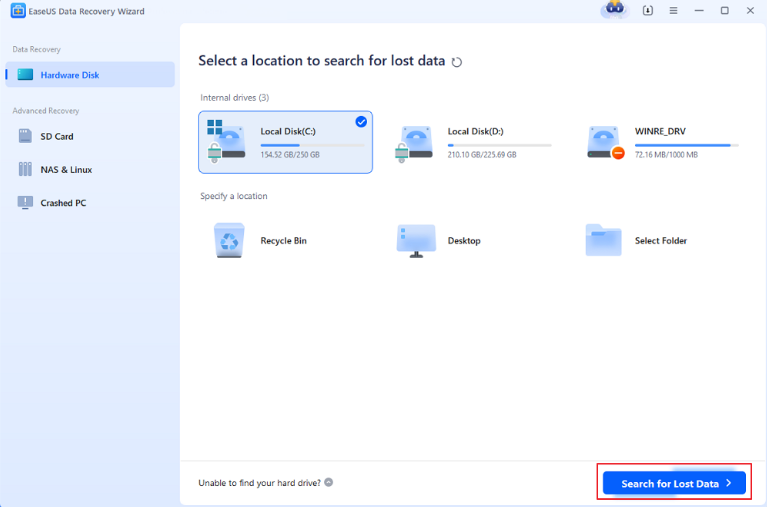
What is EaseUS Data Recovery Wizard?
EaseUS Data Recovery Wizard has already taken a position in people’s minds as the best data recovery software. Launched in 2004, it offers a comprehensive suite of tools to recover lost or deleted files from various storage devices. Not only is this software download available for windows, mac is as compatible as it comes to recovery from HDD, SSD, USB, SD cards, and RAID.
Pros of EaseUS
- Works across multiple devices and file systems.
- Suitable for beginners with step-by-step guides.
- Recovers files from formatted or corrupted drives.
Cons of EaseUS
- No more than 2GB of data if you are not willing to share or paid.
- Relies on traditional algorithms, leading to lower success rates for fragmented files.
EaseUS Pricing (2025)
Free Version: Recovers up to 2GB of data.
Pro Monthly Plan: $69.95 (Windows) / $89.95 (macOS).
Lifetime License: $149.95 (Windows) / $169.95 (macOS).

How to recover data with EaseUS Data Recovery Wizard?
Step 1: Visit the official EaseUS website, select your OS (Windows/macOS), and install the software.
Step 2: Launch the tool and choose the drive/partition where data was lost.
Step 3: Choose Scan Mode
Quick Scan: For recently deleted files.
Deep Scan: For formatted or corrupted drives (takes longer).
Step 4: Browse recoverable files using filters (type, date). Preview files, select items, and click Recover to save them to a safe location.
Important Notes:
Avoid saving recovered data to the same drive to prevent overwriting.
The free version limits recovery to 2GB.
RecoveryFox AI: A new alternative to EaseUs in 2025
Developed by WonderFox Soft, RecoveryFox AI leverages artificial intelligence to redefine data recovery. Designed for both novices and professionals, it promises faster scans, higher recovery rates, and safer privacy protection mechanism. Let’s explore its standout features:
Lightning-Fast Scanning & Universal File Recovery
Recovers photos, documents, videos, audio files, PDFs, ZIP archives, and 300+ file types in minutes.
Full File System Support
Works seamlessly with NTFS, exFAT, and FAT32.
Beginner-friendly Interface
A minimalist dashboard with guided workflows ensures even first-time users can navigate effortlessly.
Cross-Device Compatibility
Recovers data from internal/external HDDs, SSDs, USB drives, SD cards, cameras, and more.
Advanced Partition Recovery
Restores files from deleted, hidden, or lost partitions with precision.
98% Recovery Success Rate
Outperforms competitors in recovering data from severely damaged drives.
Free File Preview Before Recovery
Preview recoverable files (images, PDFs, videos) to verify integrity.
Smart Search Filters
Sort results by file type, creation date, size, or custom keywords.
Diverse usage scenarios
An ideal rescue solution for accidentally deleted files, formatted hard disks, lost partitions, etc. (including camera footage, compressed files, 3D graphics, executables, and even database files and much more)
How to recover data with RecoveryFox AI?
Step 1: Download RecoveryFox AI and complete the one-click installation.
Step 2: Start a Scan.
Select the drive or folder, then choose:
Quick Scan: For accidental deletions.
AI Scan: For fragmented or corrupted data.
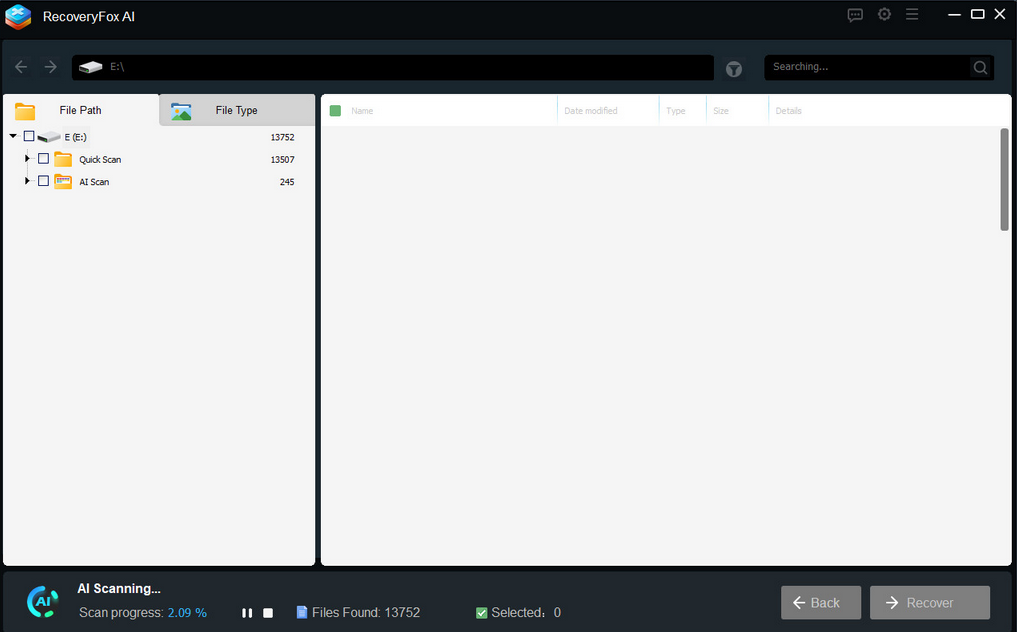
Step 3: Use filters (file type, size, date) to narrow results. Right-click files to preview quality.
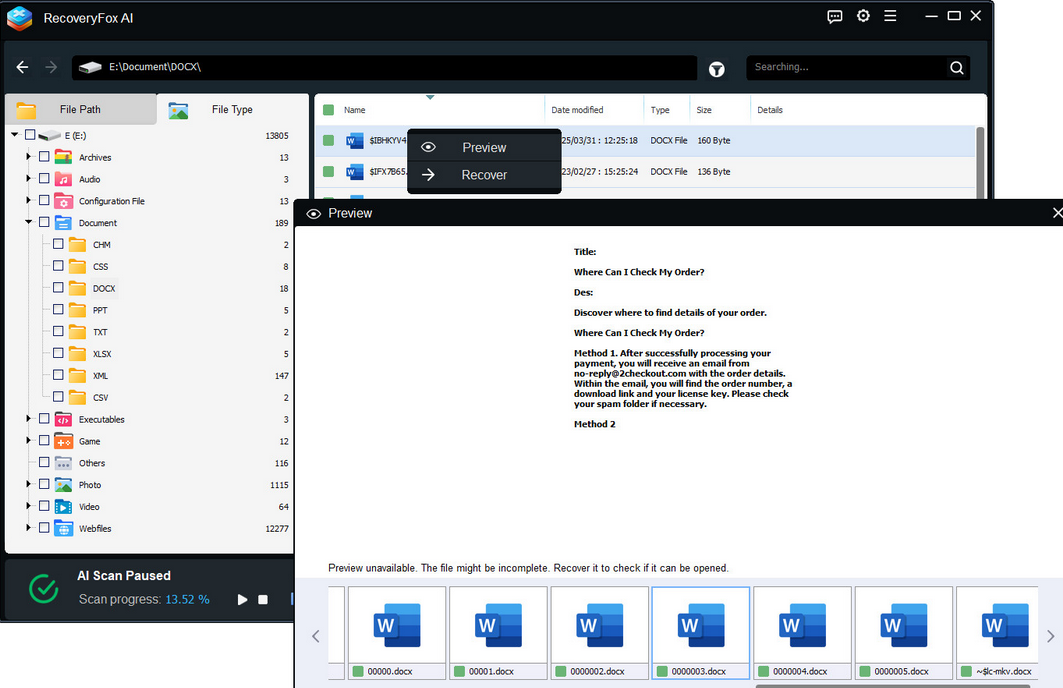
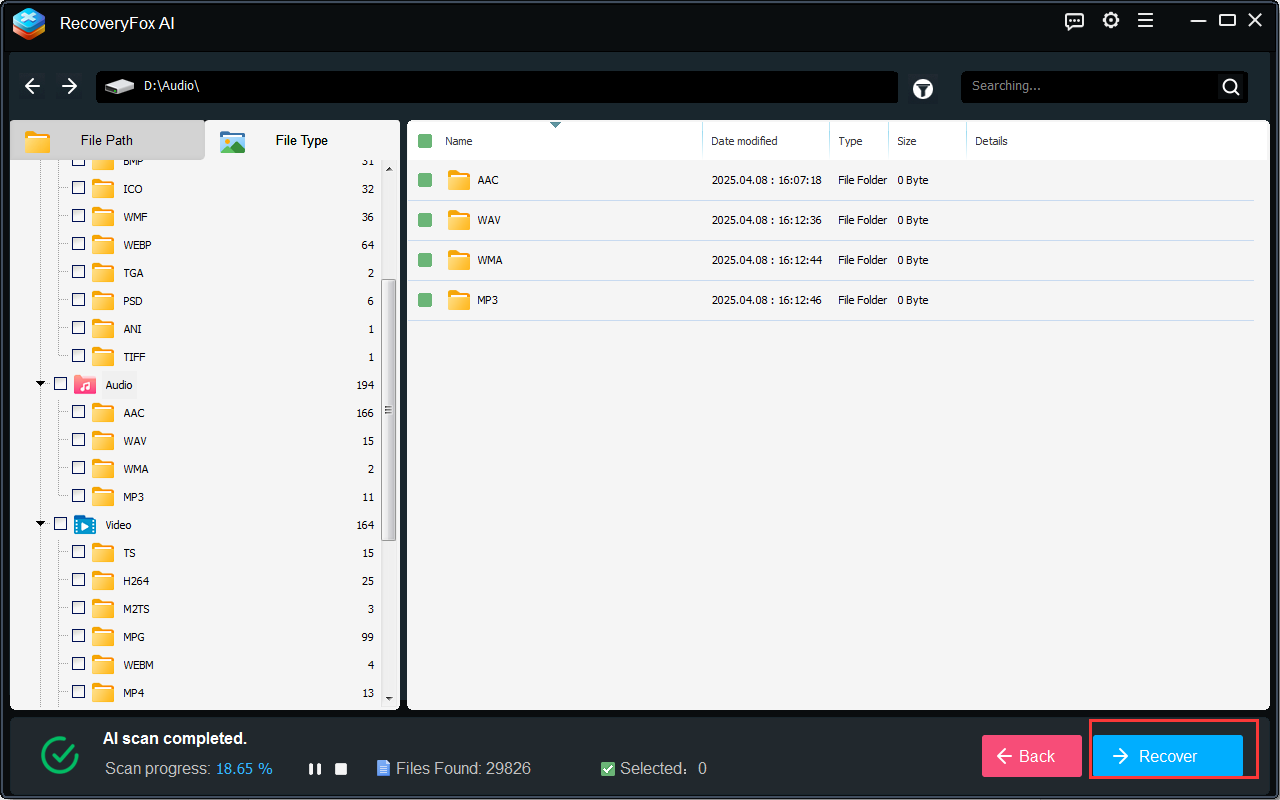
Step 4: Select the target file, click Recover button, and choose a secure storage path.
RecoveryFox AI vs EaseUS
| RecoveryFox AI | EaseUS | |
| Performance | AI-driven scan | Traditional algorithms |
| Recovery Rate | 98% | 99.7% |
| Pricing | Starting at $49.95 | Starting at $69.95 |
| Platform Support | Windows OS | Windows & Mac |
| Free Tier | Preview files | 2GB recovery cap |
| AI Technology | Yes (fragment reconstruction) | No |
| Best For | Cost-conscious users; fragmented data | Basic recovery needs; brand loyalists |
FAQs
Q: Does RecoveryFox AI offer a free trial?
Yes. Users can scan and preview files for free; payment is required only for recovery.
Q: Can I recover files from a water-damaged drive?
Both tools require the drive to be detectable. RecoveryFox AI’s AI scan mode is recommended for physically damaged devices.
Q: Are these tools safe to use?
Yes. Both are 100% safe as long as you download and purchase from the official website.
Q: Why should I consider RecoveryFox AI as an alternative to EaseUS?
There are many reasons to choose it as an EaseUS alternative, such as price, AI scanning, easy-to-use interface, etc.
Conclusion
Overall, RecoveryFox AI is the new alternative to EaseUS in 2025, combining affordability (30% savings on lifetime licenses over EaseUS subscriptions), AI scanning, and superior recovery rates. While EaseUS remains a solid choice for legacy systems, tech-savvy users and budget-conscious teams will find the lifetime license and smart features of RecoveryFox AI a must-see.
In the end, no matter what you choose, you should make a good backup before recovering your data and stop writing any new data to the disk to be recovered to prevent old data from being overwritten. The recovered content should also be saved to a different path. In short, everything should be done for the sake of data security.