
In today’s era, where data is incredibly valuable, a single accidental click or a system failure can lead to file loss.
Data recovery tools prove invaluable in such situations, helping you retrieve files that might otherwise seem irretrievable. RecoveryFox AI is one such tool that has garnered significant attention. But does it live up to the hype?
This review of RecoveryFox AI examines the tool’s performance in real-world scenarios and analyzes whether it is worth your consideration.
Brief Review
Let me cut straight to the chase: I am genuinely satisfied with my RecoveryFox AI experience. I put this AI-Powered Data Recovery Software through its paces across multiple devices and various data loss scenarios, and it held up impressively well. The scanning speed is remarkably fast, the interface feels modern and intuitive, and the AI scan feature surprised me by digging up old data from months, even years ago.
That said, perfection remains elusive. When dealing with extremely old or long-lost files, I occasionally ended up with corrupted or unusable recoveries. However, for recently deleted items and retrieving data from formatted drives, RecoveryFox AI performed admirably, restoring files in usable formats while preserving original filenames and folder structures. It struck me as a solid, dependable workhorse for most everyday recovery needs.
What is RecoveryFox AI?
Before we dive deeper into this RecoveryFox AI review, let me give you a quick overview of the company behind it. WonderFox Soft has been around since 2009, building a reputation for crafting reliable utility and multimedia tools. RecoveryFox AI stands as one of their flagship products, designed to help you recover deleted or lost photos, videos, documents, and a wide range of other file types. Whether you accidentally emptied the Recycle Bin, lost data from your desktop, or need USB file recovery from external drives like TF cards, flash drives, or SD cards, this software claims to have you covered. It supports over 500 file formats, including common ones like JPG, PSD, SVG, RAW, MP4, MP3, and ZIP, alongside many lesser-known types.
Tips: Data recovery tools are incredibly useful, but careless usage can backfire. Improper operations might overwrite the very data you are trying to save. Always install the software on a different drive from the one you are scanning, and save recovered files to another separate location. This simple habit can make all the difference.
RecoveryFox AI Pricing Plans
RecoveryFox AI offers several flexible pricing tiers for individual users:
- Weekly Plan – $49.95
- Monthly Plan – $59.95
- Yearly Plan – $69.95
- Lifetime Plan – $99.95
All plans are limited to a single PC, but if you upgrade to a new computer later, the support team can help transfer your license.

The software also comes in both registered and unregistered versions. With the unregistered version, you can scan and preview recoverable files for free, though you will need to purchase a plan to actually restore them.
RecoveryFox AI: Core Features Review
Scanning Capabilities
RecoveryFox AI packs a robust scanning system featuring both “Quick Scan” and “AI Scan” modes. When you select a drive, the software first runs a Quick Scan, using directory information to recover recently deleted files. It then automatically transitions into AI Scan mode, performing a deeper search to unearth older, lost, or structurally complex data. During my tests, the scanning speed stood out as a highlight, successfully retrieving both recent and older files from my test devices.
Recovering Files from Lost Partitions
Losing a partition is nothing short of a nightmare. One moment it is there; the next, it vanishes or becomes inaccessible, leaving you terrified that everything is gone forever.
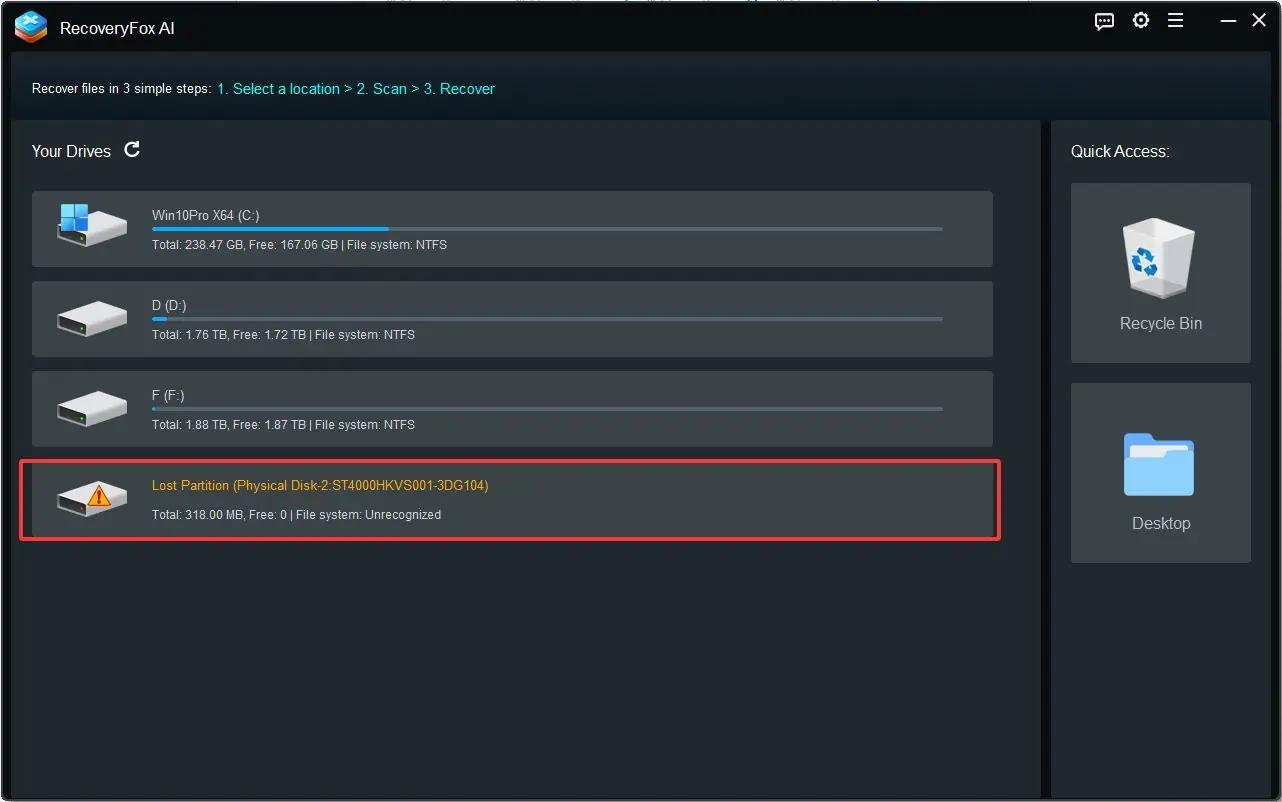
Here is the good news: just because a partition disappears from File Explorer does not mean your data is truly erased. Virus attacks, file system corruption, or accidental deletions can make a partition inaccessible while the data itself remains recoverable. This is where RecoveryFox AI truly shines, it scans beyond the system’s normal view, identifies missing partitions, and helps you restore files from them. In my experience, this feature worked beautifully. It detected the deleted partition on my test drive and recovered it without damaging any existing files. For any data recovery tool, that is a massive win.
SD Card Data Recovery
To evaluate SD card file recovery performance, I loaded test files onto an 8GB SD card and then formatted it. The scan completed in under four minutes, identifying roughly 16GB of data (including both recent and older deleted files). The full recovery process took about half an hour and ran without a single hiccup. Smooth and reliable.
Recovering from Formatted Drives
Accidentally formatting a drive can feel catastrophic, but acting quickly often gives you a fighting chance. RecoveryFox AI uses AI scan mode to thoroughly scan formatted drives and pull back recoverable files. While success rates depend on several factors, including how much new data has been written, this tool does its best to make the process as efficient and accurate as possible.
My Hands-on Experience with RecoveryFox AI
There is plenty to unpack in this RecoveryFox AI review, but before I go further, let me walk you through how to use the software effectively.
How to Use RecoveryFox AI?
Download and Installation: I found the installation process smooth and straightforward. Simply grab the executable from the official RecoveryFox AI website, run it, and follow the on-screen prompts. The software installs in no time.
Launch
Once installed, fire up the program and you are ready to start recovering.
Scan
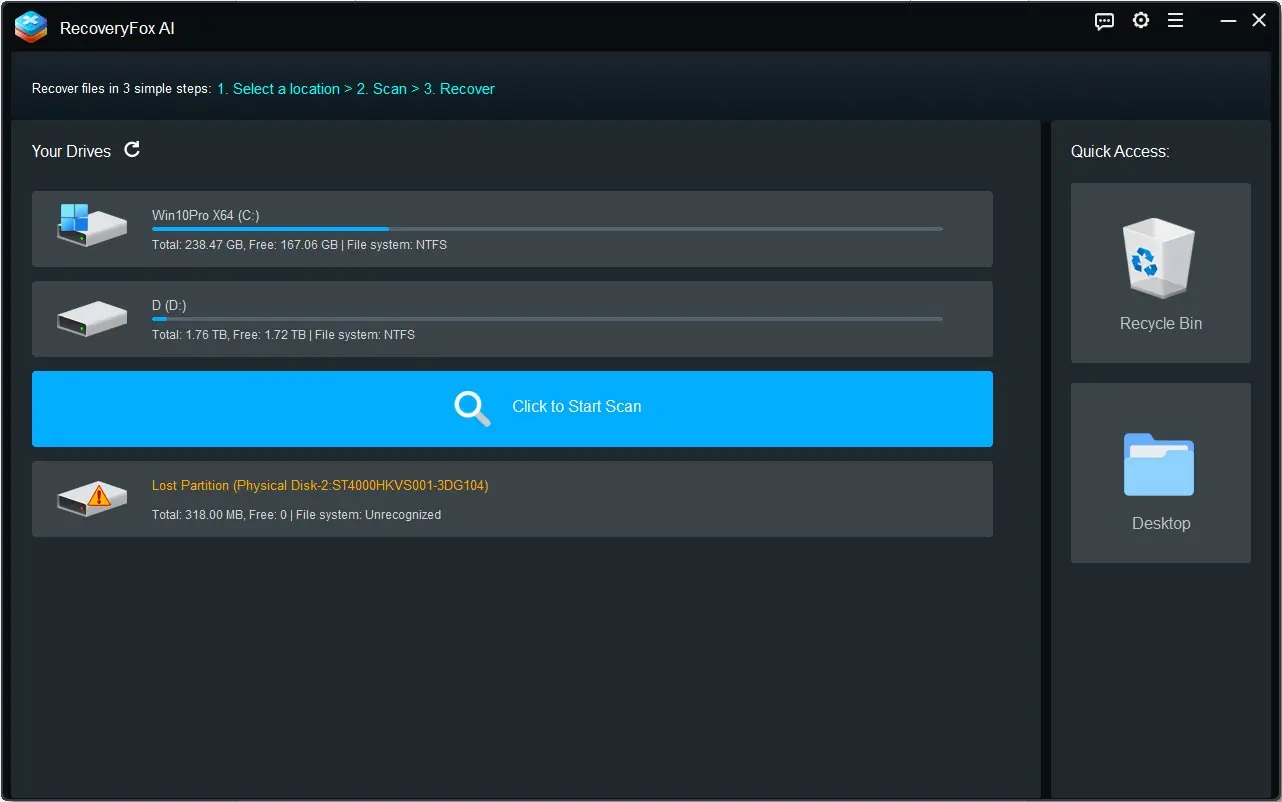
Select your target drive and hit the “Click to Start Scan” button. Easy as that.
Preview
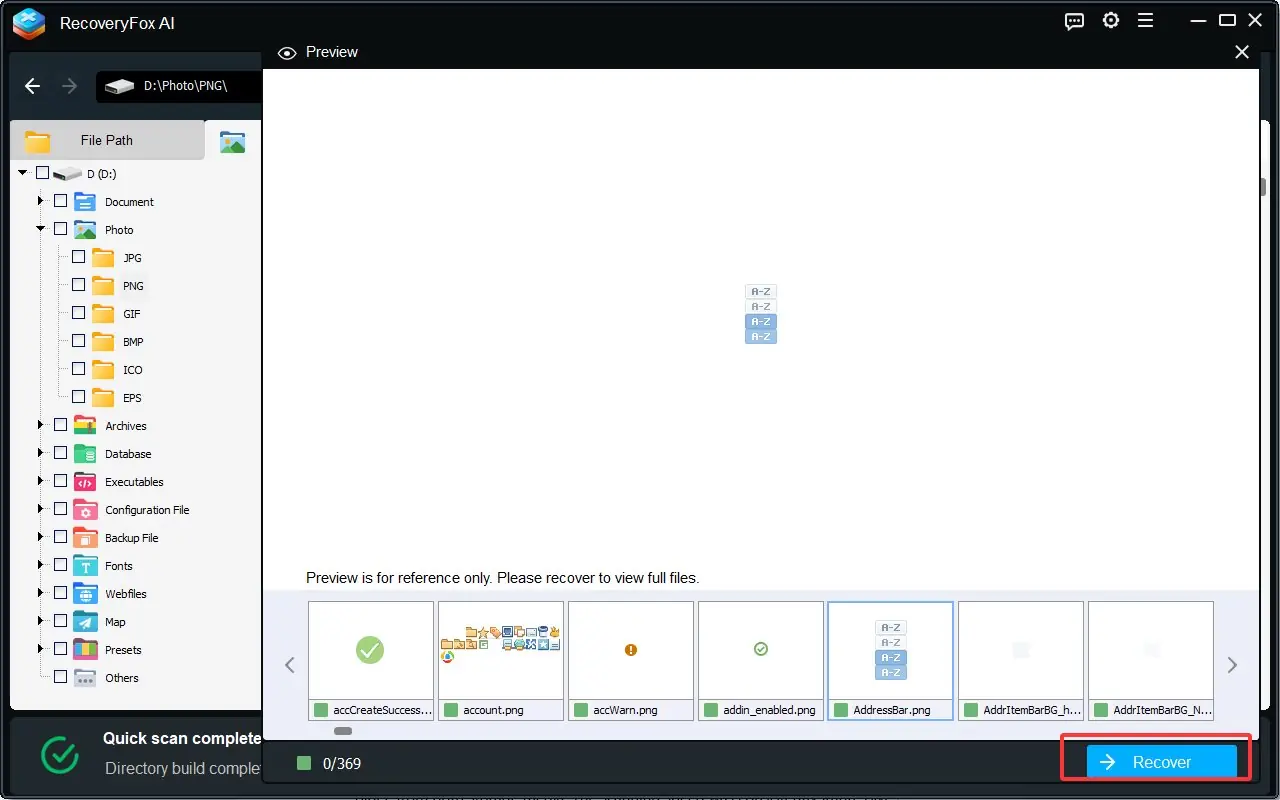
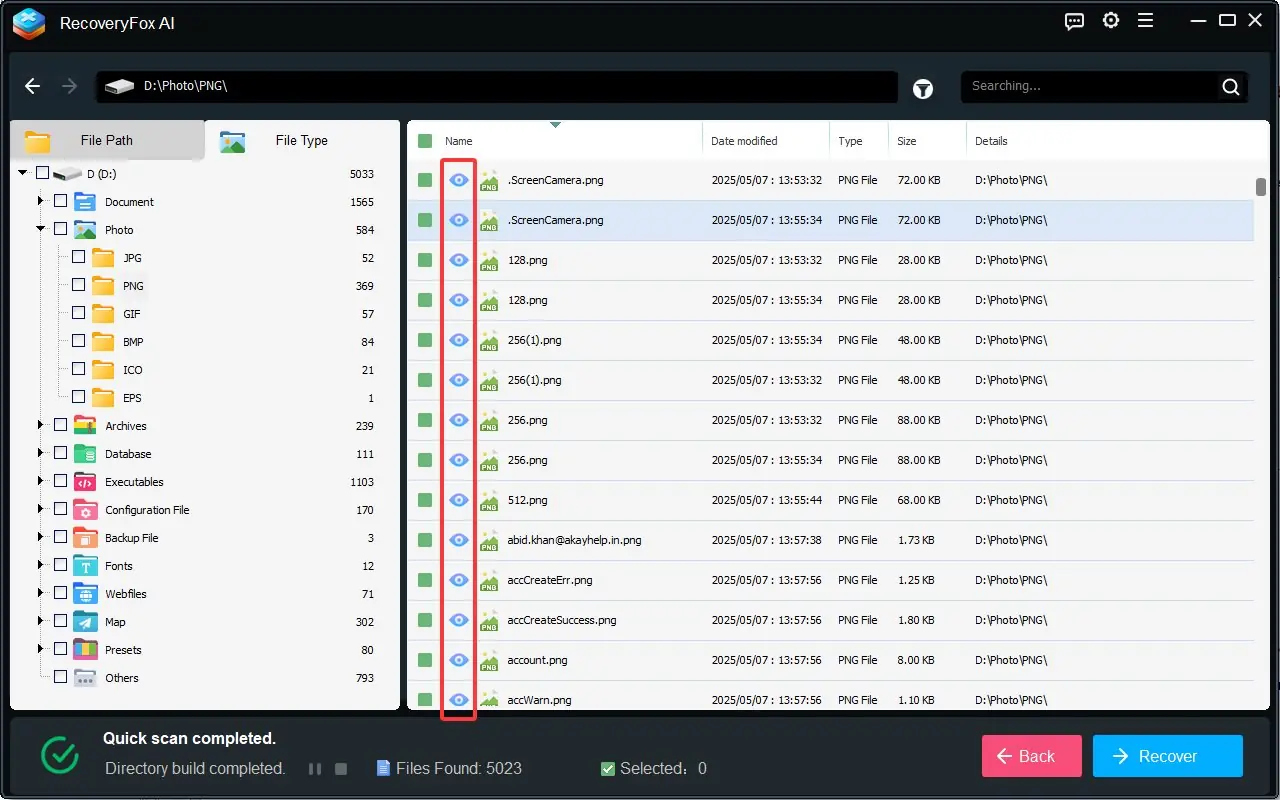
After narrowing down results with filters, you can preview files before committing to recovery. Just hover over any item and click the “eye” icon to instantly see a preview.

Recover
Tick the files you want, choose a destination drive or folder, and click “Recover.” Keep in mind that recovery time depends on file sizes and your target drive’s speed. Once done, the program directs you to the saved files page.
RecoveryFox AI Review: Performance Breakdown
Now that you know what this software can do, let me share how it actually performed in my real-world tests.
I used two different devices: a partition on my internal SSD and a USB flash drive. Overall, RecoveryFox AI recovered a substantial number of files, both recent and older, from both storage media. The scanning speed was consistently impressive.
Given that my SSD has seen years of heavy use, I did not expect to recover every single file, and I was not disappointed. However, for recently deleted files, it excelled, restoring most items with original filenames and folder structures intact.
On the USB flash drive, which has been through countless read/write cycles and stored all sorts of files. The software not only retrieved nearly everything I had stored recently but also unearthed some older files I had long written off as gone forever. That was a pleasant surprise.
Is RecoveryFox AI Worth It?
After putting this tool through its paces, I can confidently recommend RecoveryFox AI for a wide range of data recovery tasks, from simple to complex. Its intuitive interface and straightforward recovery process make it approachable even for beginners. Performance-wise, the scanning speed is a definite strong point.
That said, the recovery results can occasionally feel inconsistent, especially when dealing with older, long-deleted files. Even so, I believe RecoveryFox AI remains a reliable and worthwhile choice for anyone needing a capable data recovery tool in their corner.

















Recent Comments