
Buying a gaming notebook is little different when compared to buying a notebook for general purpose. There are certain things that need to be looked at, to ensure you get a notebook that meets all your gaming needs. But let me warn you against the price of notebooks that are especially for gaming purpose. The prices of gaming notebooks are high due to their configurations and usually these notebooks are not for those who are budget conscious.
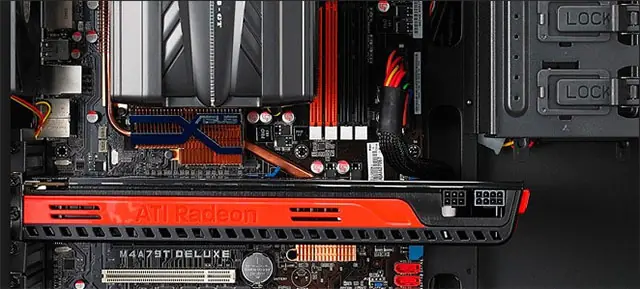
Video Card
The first and foremost thing you need to consider when buying a gaming notebook is the quality of the video card. The video card is the heart of a gaming notebook. The notebooks used for general purpose have minimal graphics and therefore cannot cater to most modern games. So, getting a notebook with a good video card is important.
Suggested Reading: Mouse not working ? Guide to using keyboard shortcuts
RAM
Another consideration would be the amount of RAM the notebook has. For general purposes such as browsing the internet or word processing 256mb of RAM is enough. However for a decent gaming notebook you will need atleast 1gb of RAM or more if possible. Most modern games will use 1gb where some will use even more.
Battery Power
Battery power is also essential. With a good video card and a fair amount of system RAM, the notebook will need enough battery power to run all these components. Getting a high quality battery will ensure you won’t be searching for a power-point everywhere you go. Gaming uses a lot of power when compared to other tasks so ensure your notebook has ample power.
Suggested Reading: Sony Ericsson Xperia Arc Review
Conclusion
Buying a gaming laptop can be simple if you consider and look into the points mentioned above. Most manufacturers have pre-built gaming configurations. These notebooks with pre-built configurations can end up costing less when compared to custom built notebooks.



















Mukundan Srinivasan
Mar 08. 2011
Love to get a gaming notebook. But I always prefer playing in xbox or ps3. I enjoy that better. Anyway for the past few months i have completely stopped playing. hmmm i am getting old.
admin
Mar 09. 2011
ha ha ha…. due to busy blogging schedule..who gets the time to play ?
Webmaster Blog
Mar 09. 2011
Assus has just released a new gaming notebook – Asus G73JW 3D and I have started dreaming for it . I think now most upcoming games will need high definition Graphic cards and almost 2 gb ram to give best performance .
Hostgator Review
Mar 26. 2011
That is really nice post the gamers will definitely love it.
admin
Mar 26. 2011
Truly said… the gamers will find this post helpful !!
Technology Blog
Jul 18. 2011
For RAM would suggest 2 GB actually. 32GB operating systems can support that much. 1GB is quite standard now. Just got mine upgraded. For Linux OS less might be ok but then no games on Linux worth playing 🙂
Denver Real Estate
Nov 11. 2011
I’ve still not bought a notebook for gaming since use my PC but have been considering to keep a separate notebook just for gaming. Glad that I learned something new from this post as well.