
This article was published in 2016 and updated in October 2026.
Outlook error 0x800CCC0E means Outlook cannot connect to the mail server — in this case Gmail. It shows up when you send or receive mail, and in Outlook 2010 often while synchronizing Gmail folders. The usual causes are a blocked connection, wrong server settings or, since 2024, a sign-in method that Gmail no longer accepts. This guide walks through the fixes in the order that solves the problem fastest.
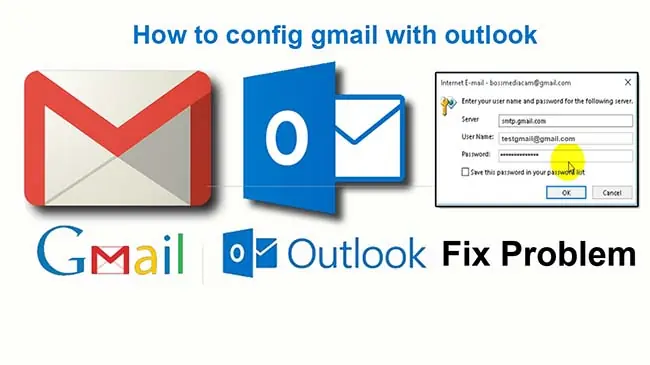
Causes of error 0x800CCC0E
- Gmail rejected the sign-in. Since 30 September 2024 Gmail no longer lets mail apps sign in with just your normal password. Outlook needs either Google’s browser sign-in (OAuth) or an app password.
- Wrong server or port settings in the Outlook account.
- No internet connection, or an antivirus program or firewall blocking Outlook.
- Outlook 2010 cannot synchronize subscribed IMAP folders (a known Outlook 2010 problem with Gmail).
Fix 1: Check the connection, antivirus and firewall
Make sure the PC is online and that you can open Gmail in a browser. If your antivirus has an “email scanning” feature, switch it off for a test — some scanners intercept the encrypted mail connection and break it. Then check that your firewall allows Outlook to connect to the internet.
Fix 2: Use the correct Gmail server settings
In Outlook 2010 open File → Account Settings → Account Settings, select the Gmail account, click Change → More Settings → Advanced and enter:
- Incoming (IMAP): imap.gmail.com, port 993, encryption SSL
- Outgoing (SMTP): smtp.gmail.com, port 465 with SSL (or port 587 with TLS)
On the Outgoing Server tab, tick “My outgoing server (SMTP) requires authentication” and “Use same settings as my incoming mail server”.
Fix 3: Sign in the way Gmail accepts today
The old advice to turn on “Allow less secure apps” in your Google account no longer works — Google removed that setting for all accounts in 2024. Use one of these instead:
- Outlook 2010 (and other older versions): they cannot use Google’s browser sign-in, so create an app password. Turn on 2-Step Verification in your Google account, create an app password under myaccount.google.com/apppasswords, and enter that 16-character password in Outlook instead of your normal Gmail password.
- Current Outlook (Microsoft 365 and recent versions): remove the Gmail account and add it again. Outlook opens Google’s sign-in window, and no app password is needed.
Fix 4: Outlook 2010 — stop synchronizing subscribed folders
If the error appears while Outlook 2010 synchronizes your Gmail folders, change its send/receive behaviour:
- Open Outlook 2010 and go to File → Options.
- Select Advanced and click Send/Receive.
- Select the send/receive group and click Edit.
- Select your Gmail account and uncheck Get Folder Unread Count for Subscribed Folders.
- Choose Use the custom behavior defined below, then click OK and close the window.
Time to replace Outlook 2010
Microsoft ended support for Office 2010, including Outlook 2010, on 13 October 2020 — it receives no more security updates. Fixing the error above gets your mail working again, but for a mail program that opens attachments every day a supported version (Microsoft 365, a current Outlook, or a free client such as Thunderbird) is the safer choice.
Conclusion
Error 0x800CCC0E is almost always a connection or sign-in problem. Check your connection and security software first, then the server settings, and make sure Outlook signs in with an app password or Google’s sign-in window. More Outlook tips: how to start Microsoft Outlook in safe mode.
Sources: Google: Sign in with app passwords; Gmail: IMAP settings; Microsoft: End of support for Office 2010
















Tom
Aug 23. 2016
hey Daniel, thanks for sharing
Kim
Aug 26. 2016
Thank you! Helped me a lot
Smith Wiliam
Jun 03. 2019
Great article! Read blog about How to Fix Lexmark Printer Offline to Online Errors by Lexmark Technical Support Experts.
error code 0xc0000034
Aug 05. 2019
Great Post about Tracking Trends. Keep up the good work sir. Thanks for sharing
Oliver Godfrey
Oct 11. 2019
This article is really nice to see. In my experiences, when you want to fixing the outlook error you have to do two things majorly that is, repair the outlook and delete the duplicate accounts.
elisa martin
Dec 30. 2019
I really love the way information is presented in your post. I have added you in my social bookmark…and i am waiting for your next post. Thanks for that important information, its really helpful.
joe hansan
Jan 28. 2020
Thanks for this. I really like what you’ve posted here and wish you the best of luck with this blog!
elisa martin
Jan 28. 2020
Great post, i have searched a lot about finally i got it thanx for this post if you are getting issues regarding BT Email Error Code 10007 you can visit
Canon Printer Error Code 5b02
Jan 29. 2020
Hi there,
Thanks for this. I really like what you’ve posted here and wished you the best of luck with this blog!
Epson Printer Error Code 000031
Feb 03. 2020
Hi there,
Thanks for this. I really like what you’ve posted here and wished you the best of luck with this blog!
error code 0xc0000225
Mar 05. 2020
Your post was very nice. Also, read this blog error code 0xc0000225 written by Arthur max.
Sandy
Mar 06. 2020
nice post, helped me a lot to fix this error message 🙂
Adam
Mar 07. 2020
nice post
Google Earth Not Working Windows 10 8 7
Mar 09. 2020
Fine information, thanks to the author. This work is really useful and significant. If you want you can also read this blog which talk about Google Earth Not Working Windows 10 8 7 in a very easy way.
Printer Customer Service
Mar 12. 2020
nice post. Thanks for posting!
Arthur
Apr 06. 2020
Your work is really looking good, I suggest that you take the help of Software development India to develop software, helping you with the designing work. Also, read this blog Toshiba command prompt written by Arthur max.
Error Code 0xc000007b
Apr 06. 2020
You have got some great posts in your blog. Good work. Also read this blog which talk about Error Code 0xc000007b in a very easy way.
0xc004c060 Windows 10
Apr 08. 2020
Your blog is so informative … keep up the good work!!!! Also read this blog which talk about 0xc004c060 Windows 10 in a very easy way.
HP Boot Device not found 3f0
Apr 16. 2020
Your site always offer some really interesting information. Thank you for sharing it with us.
Hp Printer Offline
Sep 05. 2020
I’ve surfed the net more than three hours today, and your blog was the coolest of all. Thanks a lot, it is really useful to me.
HP Printer Offline
Oct 22. 2020
I am new to your blog and just spent about 1 hour and 30 minutes reading. I think I will frequently visit your blog from now on. If anyone is facing HP Printer Offline and want to fix the problem of HP Printer Offline ? Just follow the steps which are mention on the blog to Resolve HP Printer Offline. We have shared easy steps to fix your printer problem online. Thanks !!
Hp Error Code 601
Oct 28. 2020
I really appreciate the kind of topics you post here. If anyone is facing Hp Printer 79 Service Error and want to fix the problem of Hp Printer 79 Service Error ? Just follow the steps which are mention on the blog to Resolve Hp Printer 79 Service Error. We have shared easy steps to fix your printer problem online. Thanks !!
Hp Printer Error Codes
Oct 28. 2020
Pretty good post. I just stumbled upon your blog and wanted to say that I have really enjoyed reading your posts. Any way I’ll be subscribing to your feed and I hope you post again soon..