
This article was published in 2012 and updated in October 2026.
When your computer breaks down, you often need a repair technician to find and fix the problem. But your computer holds much of your work and personal life, so you shouldn’t hand it to just anyone. Here is what to look for in a good computer repair technician — and which warning signs should make you walk away.
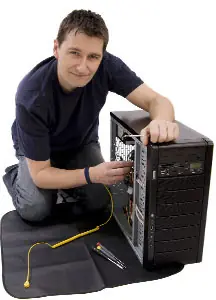
Qualifications and experience
Ask about relevant experience and certifications, such as CompTIA A+ or authorised service status from manufacturers like Apple, Dell, HP or Lenovo. Authorised service providers use genuine parts and keep your manufacturer warranty intact. Experience with your type of device matters too: a technician who mostly repairs Windows desktops isn’t necessarily the right person for a MacBook logic board.
Honesty about limits
No technician knows every device, especially with so many different hardware and software combinations around. A good technician tells you honestly when a problem is outside their expertise, needs further diagnosis or is not worth repairing compared with buying a new device. That is far better than someone who starts working on your computer without fully understanding the issue.
Clear prices and written quotes
Look for a technician who explains the diagnostic fee up front and gives you a written quote before starting any repair. They should ask for your approval if the job turns out bigger than expected. Be wary of vague estimates or pressure to agree to extra work on the spot.
Respect for your data and privacy
Your computer may contain photos, financial records and saved passwords. A trustworthy technician:
- explains whether the repair puts your data at risk and recommends a backup first,
- only accesses what is necessary for the repair,
- never asks for passwords unless they really need them — and you can often create a temporary user account instead.
If possible, back up your important files yourself before handing the device over.
The right tools and workspace
Computers and laptops contain delicate parts that need proper tools: precision screwdrivers, plastic opening tools, anti-static (ESD) wrist straps and mats, and diagnostic software. A clean, organised workbench is a good sign; improvised tools are not. Static electricity can damage components invisibly, so ask how the technician protects against it.
Reasonable turnaround time
Being without your computer can disrupt your work and daily life. A good technician gives you a realistic time frame, keeps you updated if parts need to be ordered and, for businesses, may offer a loan device or remote support in the meantime.
Guarantee and good reviews
Ask whether the repair and any replacement parts come with a warranty — 90 days or more is common. Check recent online reviews on several platforms and ask friends or colleagues for recommendations.
Warning signs: tech support scams
Never trust someone who contacts you out of the blue — by phone, pop-up or e-mail — claiming your computer has a virus. Real companies like Microsoft don’t do that. Never give remote access to your computer to an unknown caller, and never pay for “repairs” with gift cards or cryptocurrency.


















Olawale
Apr 02. 2012
These tips are useful especially when you are in dare needs of a good and competent repairer or technician. I like these tips because they are helpful for me. And all thanks to Mark for this 🙂
Terrill
Apr 03. 2012
I agree with you, the most important trait of a good computer repair technician is honesty. I once experienced being ripped off by a technician; he charged me for unnecessary repairs.
If in doubt about the recommendation of the technician, it is good to take a second opinion.
admin
Apr 03. 2012
Yep .. it is better to take a second opinion if the technician is a stranger
Brain
Apr 03. 2012
Your given main 3 ideas are really useful. I want to add something related computer repair. It is important to repair computer properly and with low cost. I think you have to find any one particular Computer repair person who can repair your computer or laptop any time because it is easy for him to understand computer problem. If any computer repair person available in your friend circle then it is great.
admin
Apr 03. 2012
Thanks for adding additional info …
Puneet
Apr 03. 2012
I will see if the person has all the tools for repairing the PC or not. Also I would like to know his experience Because experience always matters a lot.
Aliosha
Apr 04. 2012
Thanks Mark, great and useful tips, sometimes a problem can be fixed without the need of a professional 🙂
Nishadha
Apr 04. 2012
I think another important things is the communication skills. He should be able to tell the technical details of things in layman terms.
Honey
Apr 04. 2012
These tips are very useful, when your computer got some problems then you need to consult a Computer technician and follow his suggestions to repair your PC.
Ashok
Apr 04. 2012
Brilliant tips and im very happy i found this post, thanks
Rich
Apr 04. 2012
These are great tips. Prior to meeting the new technician that my wife and I have used a couple of times in the last year or so, I was always skeptical of the work being done in terms of how necessary it was. Finding a reliable and trustworthy computer tech is a lot like finding a great auto mechanic. Be grateful when you find one, and don’t do anything to ruin the relationship!
Peter
Apr 04. 2012
In my country, to ask a techician to come over to your door step will cost you about $20 upfront and $5 each hour. So if anything goes wrong with my PC, I’ll send it directly to the shop. This way, they’ll only charge me a flat repair fees and I get to save a lot of money!
admin
Apr 05. 2012
:O …. That’s too much
Puneet
Apr 05. 2012
I think this is better way to send pc to the shop because when they come at our door then they charge a lot. Nice Peter.
Cristina
Apr 05. 2012
These are great tips and like you, honesty is also on top of my list. I’m just luck because I have a friend who does this for a living and whenever I have PC problems I just give him a call and checks it out for free.
– Cristina
Peter
Apr 05. 2012
Yea Salman it is too much! That’s why computer repair technicians in this country are making a good living 🙂
admin
Apr 05. 2012
haha …
John
Apr 07. 2012
Hi, thanks for useful tips,when your desktop/laptop got some problems then you need to a professional computer technician and repair your PC.
James
Apr 08. 2012
I agree with all these three things you’ve mentioned and I like it that you’ve mentioned honesty first. I also believe this is the most important among the three.
Andrei
Apr 13. 2012
I agree. The most important thing is honesty. I know someone from our place that when he repairs a computer, he steals a hardware which is most of the time the memory module. And the people don’t even know because they don’t know anything about the internal parts of the computer.
rakesh
Apr 16. 2012
I totally agree with your tips. I like your tips because these tips help me to repair my computer. Thanks for sharingh your tips…….
andrewmicky
Apr 17. 2012
check whether they can solve computer problem or not
Rudra
Apr 20. 2012
Nice article tanks for your tips..keep blogging..
Tyler
May 19. 2012
After being in the IT field for over 13 years, I can do a job pretty darn fast. But something that can drastically effect the time it takes to do a job, is the age of the computer. If a computer is 12 years old, running of 256 megs of ram and a page-file so busy the computer sounds like a meat grinder, doing a scan to remove viruses will take many times longer than a nice new computer. So the moral is, don’t expect the world form your tech if your computer is an old piece of trash.
Jeremy
Jun 09. 2012
Great tips.
So far my only problems with a pc technician is they are mostly pricey.
But if they can do their job correctly and fast, I would not mind it at all.
Jim.
Jeremy
Jun 11. 2012
It is important to know about the qualification and experience of the technician before handling him with your system. If you don’t know any such guy personally, it is better to hire from a well known agency.
MCH
Jun 13. 2012
the computer technicians will point out the smallest problem so that they can fix it. It’s how they earn their money. I would only advise a computer technician as a last resort.
mac repair
Jun 25. 2013
Moving on, Mac computers are known to be super-fast and effective, however, that
doesn’t mean they aren’t prone to the occasional slow
down. Fortunately, as Mac Repair Experts we stay current on the forums and we
were able to find a simple and effective solution for
syncing i – Tunes on a new Mac – Book. When a computer
crashes, it can disrupt everything.
Emmanuel
Jun 13. 2016
Let me be honest with you, as I type this with my phone, I am seated at a computer repairing shop right now waiting for my laptop and one thing I do like about the technician here is his sincerity.