
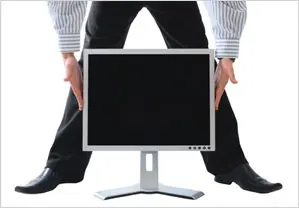
Have you ever experienced a problem that your monitor display turns upside down or sideways ?? If yes, then you’re at the right place because by further reading you’re going to find the solution for it.
Why the monitor display turns upside down or sideways ?
This kind of problem usually occurs when a user accidentally presses a combination (usually unknown) on keyboard.
WORRIED ?? Just relax… your worries will not prolong after reading this post
So now lets go directly to the solution about how to fix the problem when your monitor display turns upside down or sideways.
The simple mission starts:
Problem: Monitor display turns upside down
Solution: Really simple, just press the following combination of keys on keyboard
“Ctrl + Alt + Up-arrow”
Problem: Monitor display turns sideways
Solution: Simple again, just press
“Ctrl + Alt + Up-arrow”
Conclusion: The solution for both the above problems is same. But if you want to have some fun with your younger brothers and/or sisters then you can follow the following combination of keys to rotate the monitor display
“Ctrl + Alt + Down-arrow” to rotate upside down
“Ctrl + Alt + Right-arrow” to rotate right
“Ctrl + Alt + Left-arrow” to rotate left
Do it at your own risk !!
In every case, to bring back the display to normal press “Ctrl + Alt + Up-arrow”
Thanks to Mukundan from Web Froze for the idea. 🙂
That’s all for now, stay tuned with Tech Crates


















TechCrates
May 09. 2011
Hey Salman – This has happened many times at my workplace and we edn up contacting dekstop support..
Next time i know what to do..
admin
May 11. 2011
good to know that…. 🙂
shashank
May 16. 2011
Dude dude this is awesome !
Great buddy this small tips matter a lot 😉
Jeep rolling such great post ahead.
admin
May 16. 2011
Good to know that and thanks for stopping by 🙂
miami prostate cancer
Oct 14. 2011
Thanks for sharing! I love keyboard shortcuts. It makes everything faster. This is only applicable for desktops, right?
admin
Oct 14. 2011
No these can be applied on lappy’s too to adjust the monitor display
Gaumer
Oct 11. 2012
I discovered your weblog internet site on google and check some of your early posts. Continue to maintain up the quite very good operate. I just additional up your RSS feed to my MSN News Reader. Seeking forward to reading far more from you later on!