
This article was published in 2011 and updated in October 2026.
The internet is an invaluable resource, but without basic security measures your personal data, accounts and devices are easy targets for malware, scammers and hackers. The good news: a few habits and settings protect you against most attacks. Here’s how to improve your internet security today.
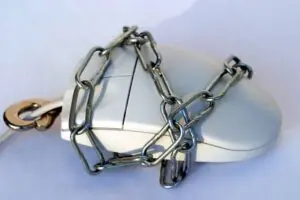
1. Keep the firewall on
A firewall filters the data coming in from the internet and blocks unwanted connections. Windows and macOS include a firewall that’s switched on by default — keep it that way. Your home router also acts as a hardware firewall; make sure it’s protected with a strong admin password and up-to-date firmware, and read how to secure your Wi-Fi network.
2. Use security software
Antivirus software detects and removes malware such as viruses, worms and trojans. In 2011 we warned against free antivirus programs; today the built-in Microsoft Defender on Windows offers solid protection for most home users at no extra cost. Whatever you use, keep it switched on and updated — and avoid “free security tools” from unknown websites, which are often malware themselves.
3. Install updates promptly
Most successful attacks exploit security holes that have already been fixed. Turn on automatic updates for your operating system, browser, apps and devices such as routers and smart home gadgets. If a computer or phone no longer receives security updates, it’s time to replace it.
4. Use strong, unique passwords — and two-factor authentication
Reusing passwords is one of the biggest risks: if one site is breached, criminals try the same password everywhere. A password manager creates and remembers a strong, unique password for every account. Turn on two-factor authentication for important accounts, especially email, banking and social media, and use passkeys where they’re offered.
5. Recognise phishing
Phishing emails, text messages and fake websites are the most common way attacks begin. Be suspicious of urgent messages about parcels, bank accounts or prizes, check the sender and the web address carefully, and never enter passwords via a link in a message — open the website or app directly instead.
6. Browse safely
- Look for HTTPS (the padlock) before entering personal data — but remember that scam sites can use HTTPS too.
- Download software only from official app stores or the manufacturer’s website.
- Remove browser extensions you don’t need.
- On public Wi-Fi, avoid sensitive tasks or use your mobile data or a trustworthy VPN.
7. Back up your data
Regular backups to an external drive or cloud service protect you against ransomware, theft and hardware failure. Store at least one copy separately from your computer and check now and then that you can restore files from it — for example from your external hard drive.
8. Think before you share
Be careful about how much personal information you post online. Details like your birthday, address, pet’s name or holiday plans can help criminals guess passwords, answer security questions or plan burglaries. Review the privacy settings of your social media accounts regularly.



















karan
Jul 29. 2011
nice tips. Most antivirus these days act as anti spyware, anti malware and firewall too. So buying such AV’s is much better i guess.
Suraj
Jul 30. 2011
Very nice.
Thanks for sharing this article!
admin
Jul 30. 2011
Thanks to our guest author for this great article
Latest Gadget
Jul 30. 2011
nice article about online security
and you can use security add-ons/extension for your web browser 🙂
admin
Jul 30. 2011
Thanks for stopping by and commenting 🙂
Olawale Daniel
Jul 30. 2011
Awesome tips on internet security. I love the post because it is full of techniques to use to help better our lives 🙂
Thanks for sharing @Admin
admin
Jul 30. 2011
Thanks to Karen for contributing a great post here ….
Osho
Jul 30. 2011
Thanks For Sharing Awesome Article 🙂
admin
Jul 30. 2011
You’re welcome and thanks for stopping by and commenting 🙂
techGALAXY
Jul 30. 2011
wow… nice tips.. thanks for sharing
CrazyBlogWalker
Jul 31. 2011
Wonderful post dude ! Keep it up .
admin
Jul 31. 2011
Thanks for stopping by and commenting …
shashank chinchli
Aug 01. 2011
great blog dude! wifi security is what people are not caring for!actually they are not bothered about dire consequences.
admin
Aug 01. 2011
yep truly …
fazal mayar
Aug 02. 2011
thanks for this i try to use avg but i guess i need a firewall too.
admin
Aug 02. 2011
Yep a firewall is a must protection … Anyways thanks for stopping by and commenting 🙂
Oscar Tignach
Aug 02. 2011
It is very important to have good security so that all the data and information is maintained securely and no one can hack your system. This is a superb post giving good tips on how to improve internet security.
android phones review
Aug 03. 2011
firewall sometime may slow down your internet speed, try to free internet bandwidth of your firewall. use a good internet security. no need to extra firewall
IT Telemarketing
Aug 10. 2011
This is my recent problem, “wireless network security” in my home. I have trouble because I have a neighbor who is good in hacking and he always sneaks around my network. Thanks for the tips and looking for more technical aspects of network security.
I encourage you to keep on engaging on BE.
admin
Aug 10. 2011
Thanks for stopping by and commenting ….. 🙂
IT Telemarketing
Aug 10. 2011
you’re welcome. looking forward for another great post of yours.
lock box
Aug 26. 2011
Ooops…I turned off my firewall. Is that important. It is blocking some applications that’s why I disabled it.
admin
Aug 26. 2011
Yep .. buddy !! Firewall is a must …..
Denver Real Estate
Nov 03. 2011
I think scanning is fine. I’ve also been thinking of installing anti virus but some says that it slows down the system so reading this post cleared most of my doubts.
Puneet
Apr 09. 2012
For the best security concern, use of firewall is must.
raj
Jun 16. 2014
It is very important and very useful information related to security.It is a essential information which should know every computer user. Thanks you for sharing this article.