
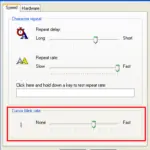
How to Change the Cursor Blink Rate in Windows 11 and 10
This article was published in 2011 and updated in October 2026.
Is the text cursor in your documents blinking too fast, too slowly — or do you find the blinking distracting? Windows lets you change the cursor blink rate and even make the cursor thicker so it’s ... Continue Reading →

Folder Options: Open Folders in New Window
Using folder options, you can change the way folders and files open normally. This article instructs you how to open each folder in its new window rather than the parent one.
Continue Reading →

Monitor Display Upside Down – Fix it
Have you ever experienced a problem that your monitor display turns upside down or sideways ?? If yes, then you’re at the right place because by further reading you’re going to find the solution for it.
Continue Reading →
How to Turn On ClickLock in Windows 11 and 10
This article was published in 2011 and updated in October 2026.
With ClickLock turned on, you can highlight text or drag files and windows without holding down the mouse button the whole time. Just press and hold the button briefly, let go, move the mouse — and ... Continue Reading →

Mouse Properties: Switching Mouse Buttons
The standard mouse has two buttons namely primary and secondary. The primary button is used to click, double-click, select…etc where as secondary button is used to display options or tasks.
Continue Reading →
How to Create a New User Account in Windows 11 and 10
This article was published in 2011 for Windows XP and updated in October 2026 for Windows 11 and 10.
If more than one person uses a computer, everyone should have their own user account. Each account has its own desktop, files, browser, settings and passwords, ... Continue Reading →

Mouse Not Working? Keyboard Shortcuts to Use Windows Without a Mouse
This article was published in 2011 and updated in October 2026.
Imagine you’re in the middle of an important document and your mouse or touchpad suddenly stops working. Don’t panic — you can do almost everything in Windows with the keyboard alone. ... Continue Reading →
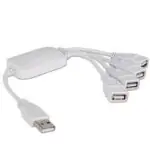
USB Hubs Explained: How to Choose and Add One
This article was published in 2011 and updated in October 2026.
Keyboards, mice, external drives, webcams, phones, printers — almost every device connects to your computer via USB. But modern laptops have fewer ports than ever, and many thin models offer only ... Continue Reading →

Hard Drives – Choosing the Right One
Choosing the right hard drive when buying a home computer is an important step to consider. Without the proper hard drive, using your computer won’t be as much fun as you want it to be. Hard drives come in many different sizes and configurations. The latest ... Continue Reading →















Recent Comments