
RAM (memory) is one of the specifications that matters most for how fast a computer feels, and one of the easiest to get wrong when you buy one. Too little and the PC slows to a crawl with a few browser tabs open; too much and you pay for memory you never use. Many laptops also have RAM soldered to the board, so you cannot add more later.
This guide explains what RAM does, how much you need for different uses in 2026, how to check how much your PC uses, and when an upgrade makes sense.
What RAM does
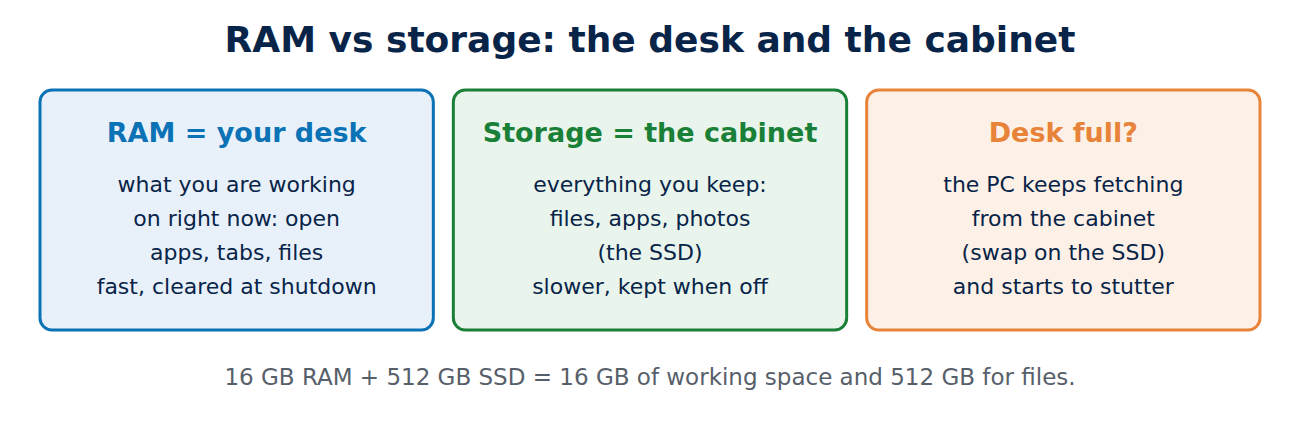
RAM is the computer’s short-term working memory. Every open program, browser tab and document is held in RAM while you work with it, because RAM is far faster than the storage drive. When RAM runs full, the system moves data to the much slower SSD (the page file or swap), and the computer starts to stutter.
RAM is not the same as storage: a laptop with 16 GB RAM and a 512 GB SSD has 16 GB of working memory and 512 GB of space for files.
How much RAM do you need?
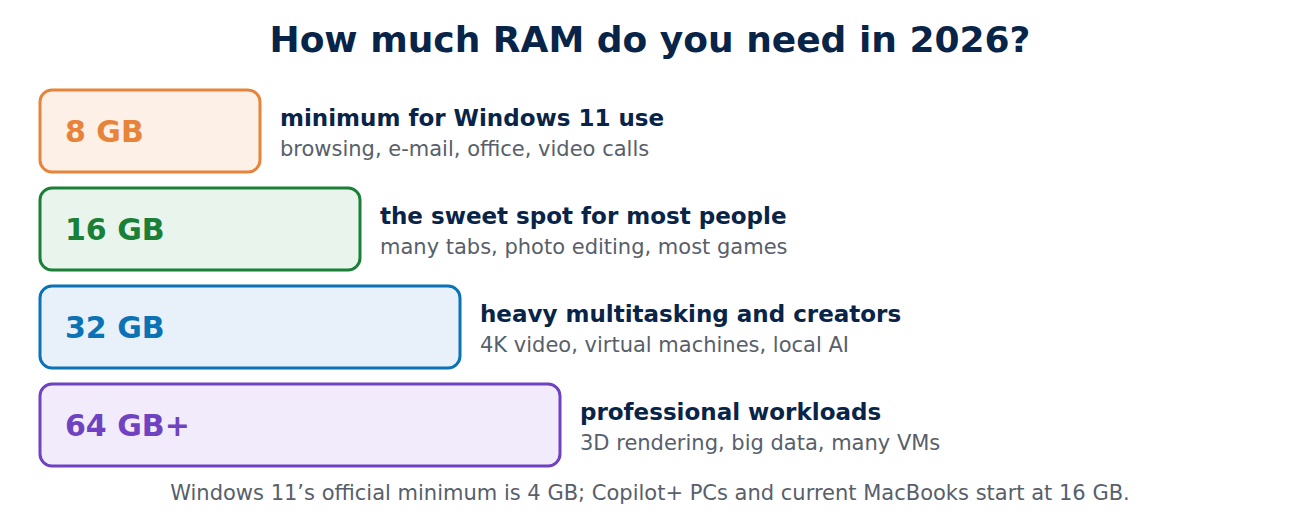
- 8 GB: the practical minimum for Windows 11 in 2026. Enough for web browsing, e-mail, office documents and video calls, as long as you do not keep dozens of tabs open. Windows 11’s official minimum is 4 GB, but that is too little for comfortable use.
- 16 GB: the sweet spot for most people. Many browser tabs, office work, photo editing, light video editing, programming and most games run smoothly.
- 32 GB: for heavy multitasking, 4K video editing, large photo libraries, virtual machines, demanding games and running AI models locally.
- 64 GB and more: for professional work such as 3D rendering, large data sets, big software builds or several virtual machines at once.
Laptops sold as “AI PCs” (Copilot+ PCs) come with at least 16 GB, which is another sign that 16 GB is the new standard.
Mac, Chromebook and phone
- Mac: Apple Silicon Macs use unified memory shared between processor and graphics, and macOS manages it efficiently. Current MacBook Air and Pro models start at 16 GB, which suits most users; choose more for video, development or local AI. You cannot upgrade it later, so decide at purchase.
- Chromebook: ChromeOS is lighter. 8 GB is comfortable for browsing and Google Docs, 4 GB works but struggles with many tabs.
- Phones: 8 GB is plenty for most Android phones today; iPhones get by with less because of how iOS manages apps.
How to check your RAM use
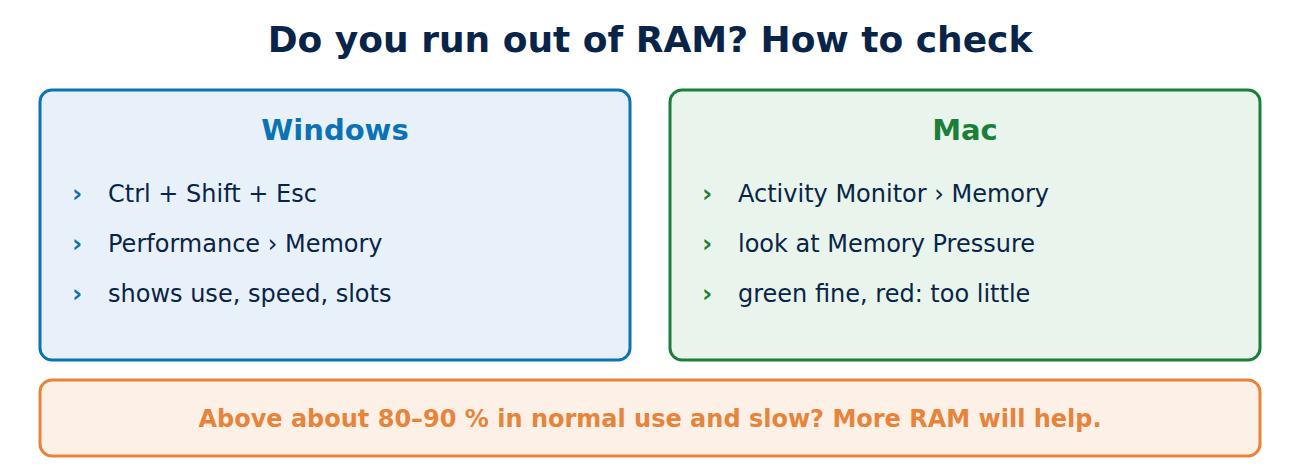
- Windows: press Ctrl + Shift + Esc to open Task Manager, then open Performance > Memory. You see the total RAM, how much is in use, the speed and how many slots are used.
- Mac: open Activity Monitor > Memory. The “Memory Pressure” graph at the bottom matters more than the raw number: green is fine, yellow means it is getting tight, red means you need more RAM or fewer apps.
As a rule of thumb, if memory use stays above about 80 to 90 percent during your normal work and the PC feels slow, more RAM will help. If it stays well below that, a slow PC has another cause; see our quick fixes for slow devices.
RAM speed and type
- Type: current PCs use DDR5 (desktop and laptop modules) or LPDDR5/LPDDR5X (soldered in thin laptops). Older PCs use DDR4. Types are not interchangeable.
- Speed (for example DDR5-5600) matters less than capacity for everyday use. Having enough RAM is more important than having fast RAM.
- Dual channel: two identical modules (2 × 8 GB) are faster than one large module (1 × 16 GB), especially with integrated graphics.
Can you upgrade your RAM?
- Check whether it is soldered: most thin laptops and all Apple Silicon Macs have soldered RAM. Desktops and many larger laptops have slots.
- Find out the type and maximum: the manufacturer’s specification page or a free tool such as CPU-Z shows the RAM type, speed and number of free slots.
- Buy matching modules: same type and ideally the same speed, in pairs for dual channel.
- Install with the power off and the battery disconnected where possible, and touch a metal part first to discharge static.
A RAM upgrade is one of the cheapest ways to give an older desktop or laptop new life, together with an SSD instead of an old hard drive.
Tips if you cannot add RAM
- Close browser tabs you do not need, or use the browser’s memory saver or sleeping tabs feature.
- Remove programs that start with Windows and run in the background.
- Use web versions of heavy apps only when needed, and restart the PC regularly.
- Keep enough free space on the SSD, because the system uses it when RAM is full.
Conclusion
For most people, 16 GB of RAM is the right amount in 2026: enough for many tabs, office work, photo editing and games. 8 GB is the minimum for light use, 32 GB is for video editing, virtual machines and local AI, and more is for professionals. Check Task Manager or Activity Monitor to see whether you really run out, remember that many laptops cannot be upgraded later, and buy enough memory at the start.
Sources and further reading
- Windows 11 specifications and system requirements (Microsoft)
- View memory usage in Activity Monitor on Mac (Apple Support)



















Recent Comments