
AI chatbots such as ChatGPT, Claude, Gemini and Copilot can draft e-mails, explain topics, summarise documents and help with code. Yet many people try them once, get a vague or generic answer and give up. The difference between a disappointing and a genuinely useful answer is usually the prompt: what you ask and how you ask it.
This guide explains a simple structure for better prompts, shows before-and-after examples, and covers how to check answers and use AI tools safely.
Why prompts matter
A chatbot only knows what you tell it in the conversation, plus what it learned in training. If you ask “Write an e-mail to my landlord”, it has to guess the situation, tone, length and what you want to achieve. Give it the context a capable human assistant would need, and the result improves dramatically.
A simple prompt structure
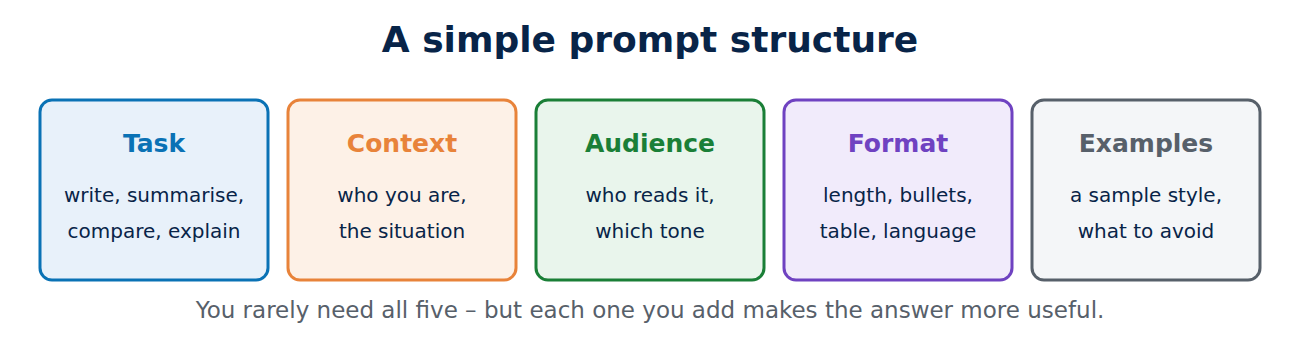
Good prompts usually contain some of these five parts:
- Task: what exactly should the AI do? “Write”, “summarise”, “compare”, “explain”, “check”.
- Context: the background: who you are, the situation, what has happened so far.
- Audience and tone: who will read the result, and should it be formal, friendly, simple or technical?
- Format: length, structure, bullet points, a table, a word limit, a specific language.
- Examples or constraints: a sample of the style you want, things to avoid, facts that must be included.
Before and after
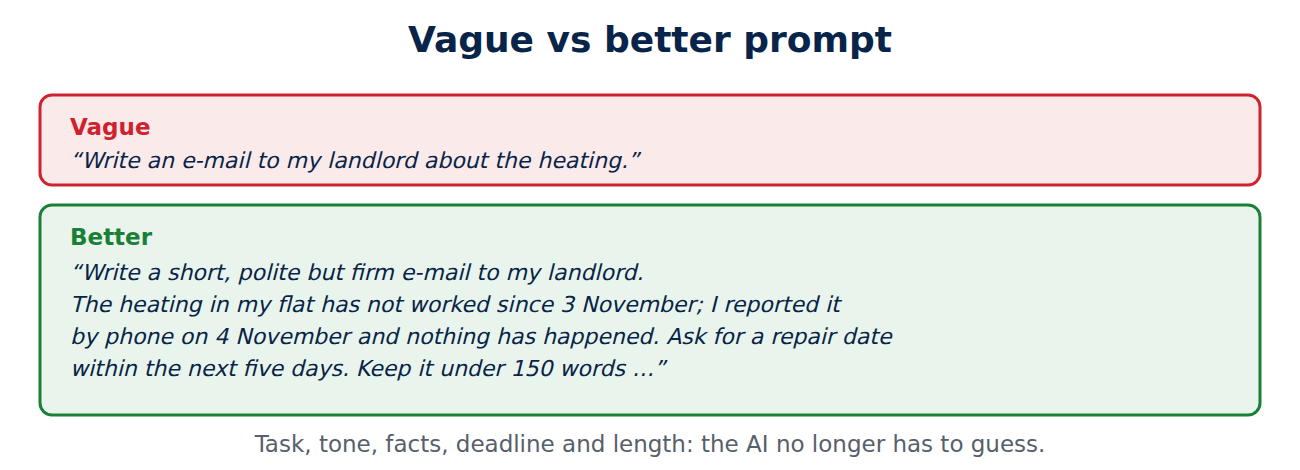
Vague: “Write an e-mail to my landlord about the heating.”
Better: “Write a short, polite but firm e-mail to my landlord. The heating in my flat has not worked since 3 November, I reported it by phone on 4 November and nothing has happened. Ask for a repair date within the next five days. Keep it under 150 words and in British English.”
Vague: “Explain VPNs.”
Better: “Explain in plain English, for someone who is not technical, what a VPN does and does not protect against when using hotel Wi-Fi. Use five bullet points and one everyday analogy.”
Useful techniques
- Give it a role: “Act as an experienced editor and review this cover letter for clarity and tone.”
- Ask for questions first: “Before you answer, ask me up to three questions about anything you need to know.” This often gets a much better result.
- Work in steps: outline first, then draft each section, then revise. Long tasks done in one go tend to get worse.
- Paste the material: for summaries and rewrites, include the text itself, or attach the document if the tool supports it.
- Iterate: reply with specific feedback, such as “shorter”, “less formal”, “add a concrete example”, instead of starting again.
- Ask for options: “Give me three different subject lines” is faster than asking three times.
Always check the answer
AI chatbots can be confidently wrong. They sometimes invent facts, sources, quotes, legal rules or product features (“hallucinations”), and their knowledge may be out of date unless the tool searches the web.
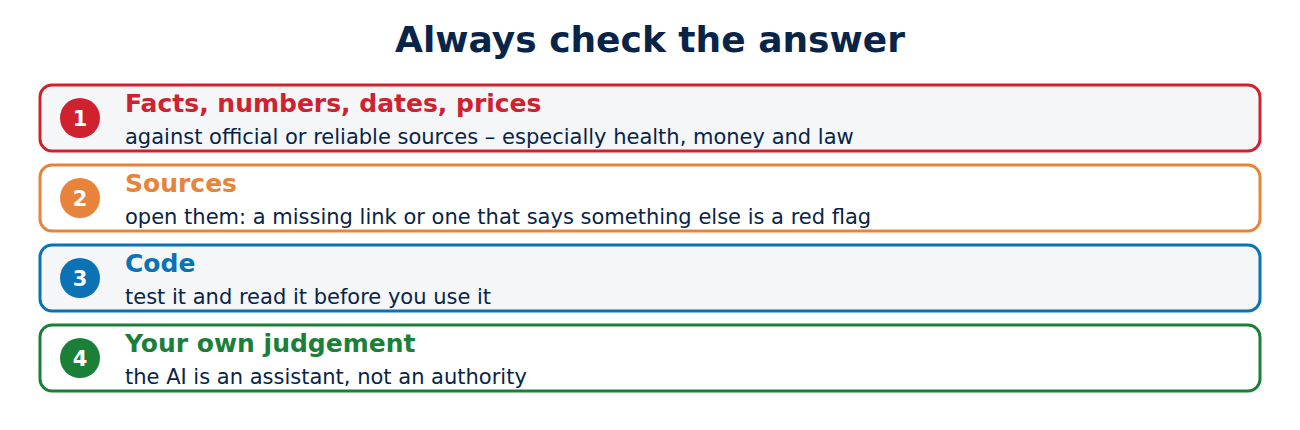
- Check facts, numbers, dates and prices against official or reliable sources, especially for health, money, legal and safety questions.
- Ask for sources and open them: a link that does not exist or does not say what the AI claims is a red flag.
- Test code before you use it, and read it to understand what it does.
- Use your own judgement for anything important. The AI is an assistant, not an authority.
Privacy and safety
- Do not paste secrets: passwords, bank details, ID numbers, confidential work documents or other people’s personal data.
- Check the data settings: most services let you turn off the use of your chats for training and delete your history.
- Follow your workplace or school rules on which AI tools are allowed and for what.
- Beware of fake AI apps in app stores and browser extensions that impersonate well-known tools to collect data.
Everyday uses that work well
- Drafting and polishing e-mails, letters and posts.
- Explaining a topic at your level, then quizzing you on it.
- Summarising long documents or meeting notes you paste in.
- Brainstorming ideas, names, gift suggestions or trip plans.
- Writing formulas for Excel or Google Sheets and explaining error messages.
- Turning notes into a checklist, table or step-by-step plan.
Conclusion
Better AI answers start with better prompts: state the task, give context, name the audience and tone, and say what format you want. Ask the AI to ask you questions, work in steps and refine with specific feedback. Then check facts and sources, and keep passwords and confidential data out of the chat. Used this way, AI chatbots save real time every day.
Sources and further reading
- Prompt engineering overview (Anthropic)
- Prompt engineering guide (OpenAI)
- ChatGPT and large language models: what’s the risk? (UK National Cyber Security Centre)


















Recent Comments