
Normally a browser accepts any valid certificate that leads to a trusted root, whichever of the many certificate authorities issued it. Certificate pinning narrows that down: a program accepts only a specific certificate or key for a particular server. That protects against wrongly issued certificates, but it can also take a website or app offline completely. This guide explains how pinning works, why the web standard HPKP was scrapped and how apps use pinning today.
What pinning means
Without pinning, a program trusts every CA in its root store; see what is a root store. If any of those CAs wrongly issues a certificate for your domain, it is accepted. With pinning you decide in advance what to expect:
- the leaf certificate itself, which changes at every renewal,
- the server’s public key, which stays the same as long as the key is reused at renewal,
- the key of an intermediate or root certificate, so any certificate from that CA is accepted but none from another.
What gets stored is usually not a whole certificate but the SHA-256 hash of the public key (the SPKI hash), Base64-encoded. For the techcrates.com certificate in November 2026 it was lOgw6hNn4G3A/Xnoss8yO3h3luTgUq1p6EMA//eiCX8=, and for Let’s Encrypt’s YE1 intermediate brzvtCELCIZUo4sD/qPX0ccRtPsd3DY6RfmxpOU9oB4=. You can calculate it like this:
openssl x509 -in certificate.pem -pubkey -noout | openssl pkey -pubin -outform der | openssl dgst -sha256 -binary | openssl enc -base64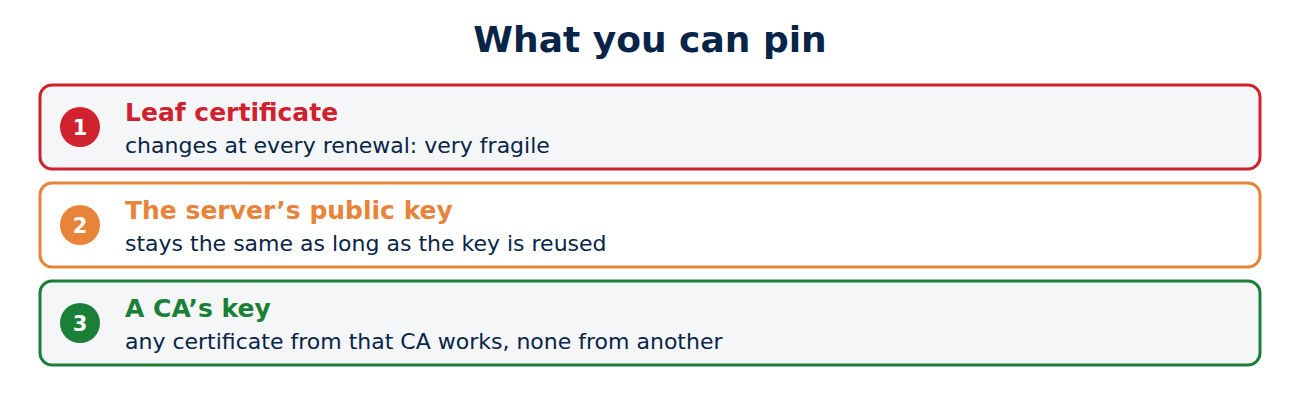
Static pins: how DigiNotar was caught
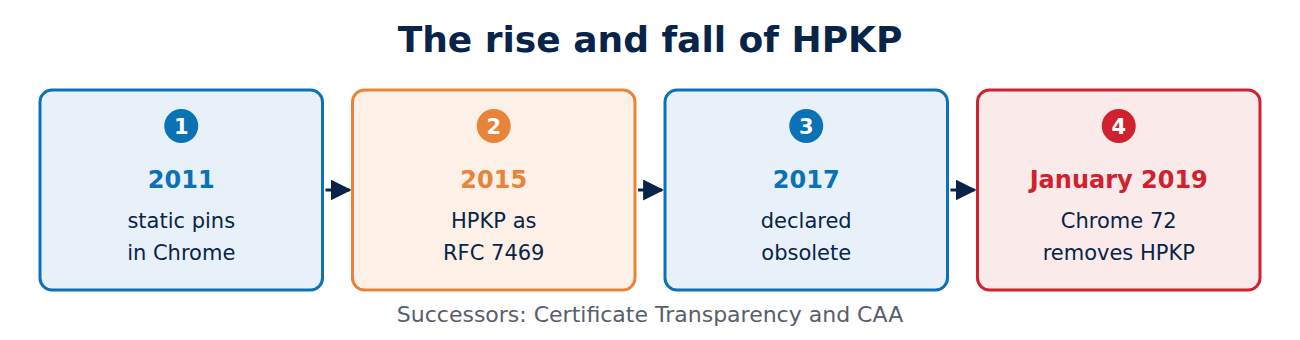
Since 2011 Chrome has had pins for Google’s domains built in. That same year, those pins exposed the break-in at the CA DigiNotar: a user in Iran received a forged but formally valid certificate for Gmail, and Chrome raised the alarm because it did not match the stored keys. Chrome and Firefox still ship static pins like these for a few large websites. The aftermath of that case is covered in what is Certificate Transparency.
HPKP: pinning for every website
In 2015, HTTP Public Key Pinning (HPKP, RFC 7469) standardised a way for any website to set its own pins. The server sent a header like this:
Public-Key-Pins: pin-sha256="lOgw6hNn4G3A/Xnoss8yO3h3luTgUq1p6EMA//eiCX8="; pin-sha256="backup-key..."; max-age=5184000The browser remembered the pins for the stated time, 60 days here, and from then on rejected any other certificate. A second backup pin for a key not yet in use was mandatory.
Why HPKP was scrapped
HPKP turned out to be more dangerous than useful:
- Locking yourself out: if a site lost its keys or changed CA without thinking, the site was blocked for every returning visitor until max-age ran out, and nobody could undo it.
- Ransom attacks: an attacker who briefly took over a server could set their own pins and make the site unusable for months.
- Little take-up: only a tiny share of websites used HPKP, often incorrectly.
Chrome declared HPKP obsolete in 2017 and removed it in Chrome 72 in January 2019. Safari never supported it, and Firefox dropped it too. Its place was taken by Certificate Transparency: instead of fixing certificates in advance, every certificate is publicly logged so that wrongly issued ones stand out. CAA records in DNS help as well; see what are CAA records, DNSSEC and DANE.
Pinning in apps today
Pinning lives on in smartphone apps, especially from banks, payment services and messengers. The app only talks to its maker’s servers and can ship with the keys it expects:
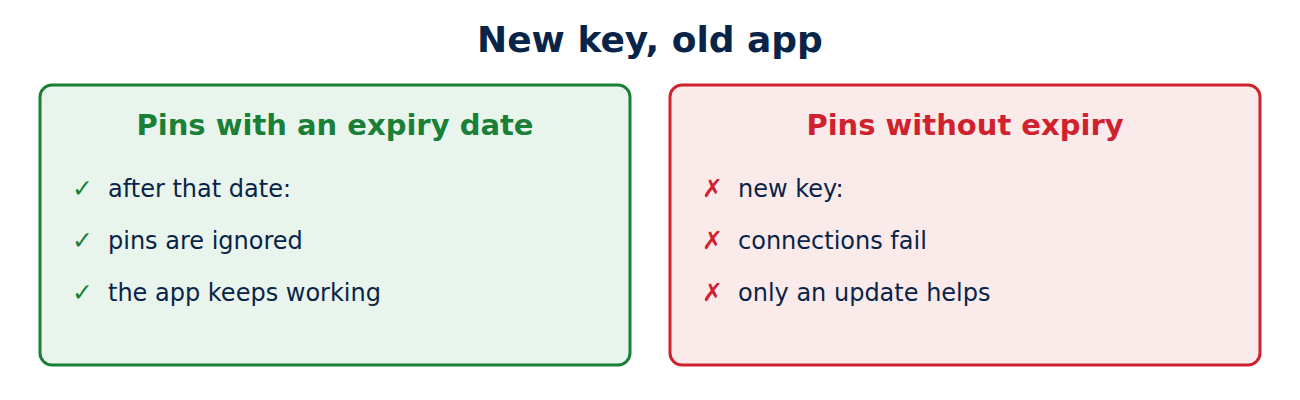
- Android offers a pin-set with an expiry date in its Network Security Configuration: after that date the app ignores the pins instead of blocking the service.
- iOS has supported an NSPinnedDomains entry in an app’s configuration since iOS 14.
- Libraries such as OkHttp for Android allow pins directly in code.
Pinning in apps also makes it harder to inspect the app’s own traffic, for example for security researchers using an analysis proxy. That is sometimes the intention, but it is no substitute for secure code.
Risks and good practice
The danger is the same as with HPKP: if the key changes and the app does not know the new one, it stops working until users install an update. With lifetimes shrinking towards 47 days, that becomes more likely; see why certificate lifetimes are getting shorter. Android’s documentation therefore insists on a backup key, because otherwise only an app update restores the connection. If you pin:
- Always use at least two pins, one of them a backup key kept offline.
- Pin to keys you control, or to several CAs, rather than to a single intermediate of someone else’s CA that can change at any time. Let’s Encrypt switches intermediates regularly, most recently to the generation created in 2025 with YE1 and YR1.
- Set an expiry date so that old app versions do not stay blocked for ever; after that date the pins no longer protect, though.
- Plan key changes ahead and ship the new pins in an app update before you need them.
Frequently asked questions
Should I set up pinning for my website?
No. There is no longer a standard for websites, and the risk outweighs the benefit. Certificate Transparency, CAA and short lifetimes protect you better.
Why does an app fail on a company network when the browser works?
Many companies inspect encrypted traffic using their own root. The browser trusts that root, but an app with pinning does not.
Is pinning the same as DANE?
The idea is similar, but the method differs: with DANE the expected keys are published in DNS, with pinning they are built into the program.
What happens when an app breaks because of pinning?
It cannot connect and often just shows a generic network error. Only an update with new pins fixes it.
Conclusion
Certificate pinning fixes which keys a program accepts for a server, protecting it against wrongly issued certificates. For websites, the HPKP standard failed and was removed in Chrome 72, because site owners could lock themselves out. Apps still use pinning, but it should come with backup pins and an expiry date.
Sources and further reading
- RFC 7469: Public Key Pinning Extension for HTTP (IETF)
- Network security configuration (Android Developers)
- Certificate and Public Key Pinning (OWASP)
- HTTP Public Key Pinning (Wikipedia)



















Recent Comments