
Losing a phone is stressful: it holds your photos, messages, banking apps and often the codes you need to log in everywhere else. Whether it slipped between the sofa cushions, was left in a taxi or was stolen, the right steps in the first minutes make a big difference. Both Android and iPhone have free, built-in tools to locate, lock and, if necessary, erase a lost phone.
This guide shows how to set those tools up before you need them, how to find a lost Android phone or iPhone, and what to do if it does not come back.
Set it up now, before you lose your phone
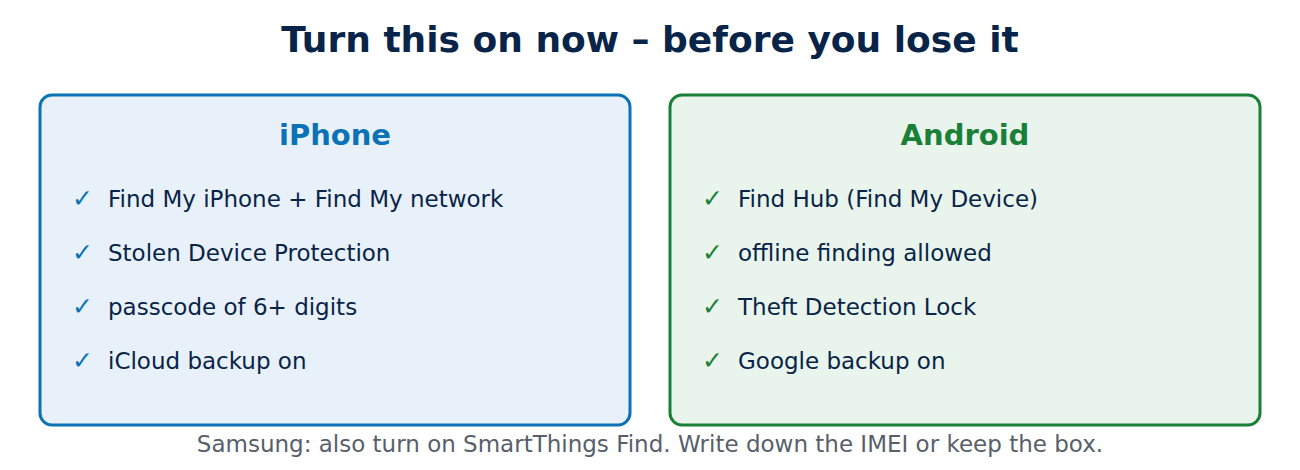
- iPhone: Settings > [your name] > Find My > Find My iPhone on, including “Find My network” (finds the phone even when it is offline) and “Send Last Location”.
- Android: Settings > Google > All services > Find Hub (called Find My Device until 2025) on. Allow offline finding in the network settings so the phone can be found through other Android devices.
- Samsung: additionally Settings > Security and privacy > Lost device protection > SmartThings Find.
- Screen lock: a PIN of at least six digits or a strong password, plus fingerprint or face unlock.
- Theft protection: turn on Stolen Device Protection on iPhone and Theft Detection Lock on Android, which lock the phone if a thief snatches it or makes sensitive changes away from familiar places.
How to find a lost iPhone
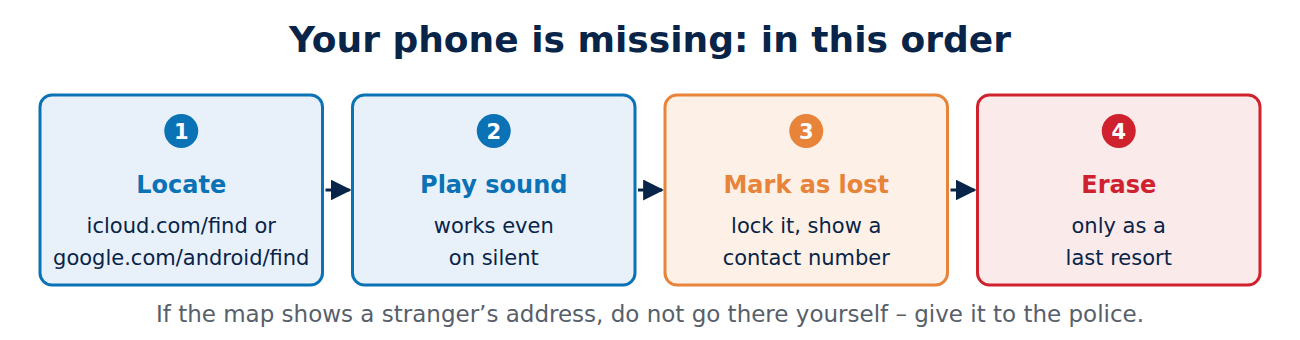
- Open the Find My app on another Apple device, or go to icloud.com/find on any computer and sign in with your Apple Account.
- Select the iPhone to see its location on the map. If it is nearby, choose Play Sound.
- If it is not where you expect, turn on Mark As Lost: the phone is locked, Apple Pay is suspended and you can show a phone number on the lock screen.
- Erase it only as a last resort; after erasing you can no longer locate it in some cases.
How to find a lost Android phone
- Go to google.com/android/find or open the Find Hub app on another Android device and sign in with the same Google account.
- See the location on the map, and use Play sound if it is nearby, even if it is on silent.
- Choose Secure device to lock it and show a message with a contact number on the screen.
- Use Factory reset device only if you are sure it will not come back.
Samsung owners can also use smartthingsfind.samsung.com, which can, for example, extend battery life remotely on supported models.
If the phone was stolen
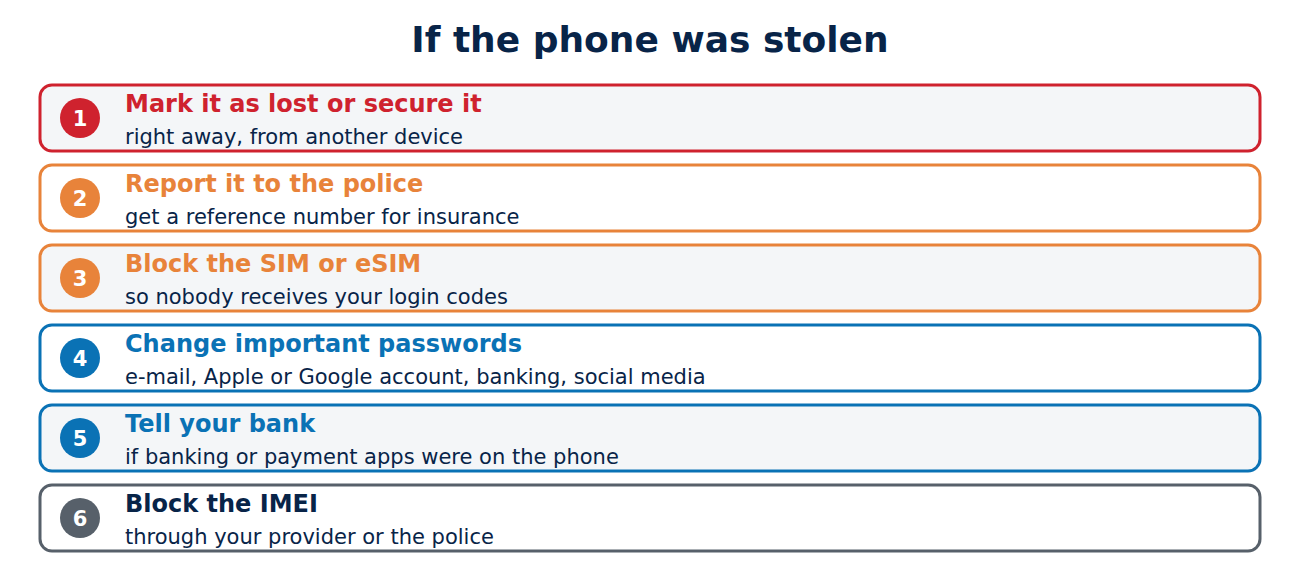
- Do not try to get it back yourself if the map shows it at a stranger’s address. Give the location to the police.
- Mark it as lost / secure it right away.
- Report it to the police and get a reference number for insurance.
- Call your mobile provider to block the SIM or eSIM, so nobody can use your number to receive login codes, and ask for a replacement.
- Change important passwords from another device: e-mail, Apple or Google account, banking and social media, and sign out the lost phone from your accounts.
- Tell your bank if banking or payment apps were on the phone.
- Ask for the IMEI to be blocked: your provider or the police can block the device on networks in many countries. Find the IMEI in your Google or Apple account device list or on the original box.
Beware of fake “we found your phone” messages
After a theft, criminals often send texts or e-mails that look like Apple or Google: “Your iPhone has been found, click here to see its location.” The link leads to a fake sign-in page to steal your account password, so they can remove the activation lock. Never sign in through such links; open Find My or Find Hub yourself. See how to spot a phishing e-mail for the warning signs.
Make losing a phone less painful
- Back up automatically to iCloud or Google, so your photos and contacts survive; see how to back up your phone.
- Use a SIM PIN, so a thief cannot put your SIM in another phone.
- Keep backup codes for two-factor authentication somewhere safe outside the phone.
- Write down the IMEI or keep the box.
- Use a tracker tag (AirTag or a Find Hub compatible tag) for bags and keys too.
Conclusion
Turn on Find My on iPhone or Find Hub on Android, set a strong screen lock and enable theft protection today. If your phone goes missing, locate it from another device or the website, play a sound, then lock it with Mark As Lost or Secure device. If it was stolen, involve the police, block the SIM, change your passwords from another device and ignore “phone found” messages. A regular backup turns a lost phone into a replaceable gadget.
Sources and further reading
- If your iPhone or iPad is lost or stolen (Apple Support)
- Find, secure, or erase a lost Android device (Android Help)



















Recent Comments