
6 USB Flash Drive Tricks
I am sure each and every one of us will have a USB device which helps in many ways. It is so easy to design your own custom flash drives that I can see everyone having them. If you have a USB device, then the most common use that you would experience is for transporting/storing ... Continue Reading →
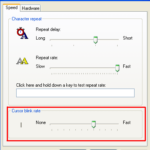
Increase or Decrease Cursor Blink Rate
Is your cursor blinking too fast or slow ? Did you know that you can even adjust the blink rate of your cursor, don’t you ? This article shows how to increase or decrease the cursor blink rate.
Continue Reading →
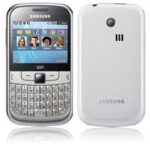
Samsung Chat: WiFi Qwerty Phone
Samsung Chat is a cool qwerty phone with great looks. As the name says, Samsung Chat is a SNS ready mobile phone that features WiFi. This phone comes boxed with a Samsung Chat handset, Li-Ion 1000 mAh battery, stereo headset, 2GB microSD card, Charger and User ... Continue Reading →
Folder Options: Open Folders in New Window
Using folder options, you can change the way folders and files open normally. This article instructs you how to open each folder in its new window rather than the parent one.
Continue Reading →
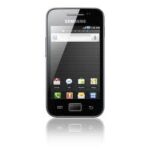
Samsung Galaxy Ace – Android Smartphone
When you look for a phone from Samsung that carry some of the features of Galaxy S2 but at a low cost, then Samsung Galaxy Ace is the phone for you from Samsung as that will fit your budget as a smartphone. Many of the phone critics have applauded this phone as ... Continue Reading →
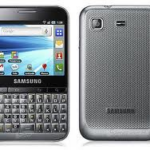
Samsung Galaxy Pro: Qwerty Android
Samsung Galaxy Pro is a latest android phone with 2.8″ touchscreen and Qwerty keypad. This phone is the first “touch and type” handset from Samsung. It is a slim phone (10.5mm thick) and is also known as Samsung B7510.
Continue Reading →

Monitor Display Upside Down – Fix it
Have you ever experienced a problem that your monitor display turns upside down or sideways ?? If yes, then you’re at the right place because by further reading you’re going to find the solution for it.
Continue Reading →
Mouse Properties: Click Lock
With Click Lock enabled you can highlight or drag without holding the mouse button. Interested ?? but don’t know how to turn on click lock !! Well, then this article is for you. This article shows you how to turn on the click lock and highlight or drag easily ... Continue Reading →
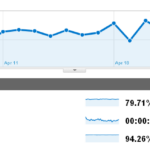
Tech Crates Traffic Report: April 2011
Tech Crates came into existence in the fourth week of December 2010, since then it has been growing significantly in terms of rankings and thereby drawing decent traffic. Last month (April 2011) it crossed the 10K/month traffic mark.
Continue Reading →















Recent Comments